
Time Card Calculator-Timeclock
Track work hours and log breaks
Review And Judge LLC
iPhone Screenshots


Description
Track work hours by entering login and logout times. Add multiple login lines for lunch breaks or specify a fixed lunch deduction. Calculate overtime based on logged hours and set weekly or bi-weekly timesheets.
Time Card Calculator for Weekly and Bi-Weekly Timesheets
Calculate the time you worked by entering the time you logged in and logged out.
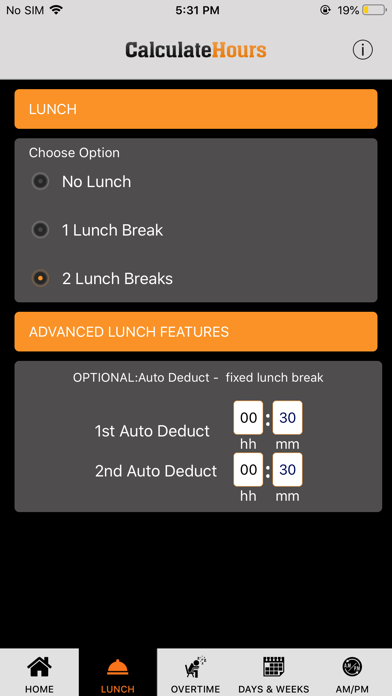
LUNCH BREAKS:
You may add more login lines for 1 or 2 lunch breaks in our time clock calculator.
Or, if you do not log in and out for lunch each day, but you have a certain amount of minutes automatically deducted as lunch, you may enter 15 minutes, 30 minutes, etc. in the LUNCH tab, and this amount will be automatically deducted daily.
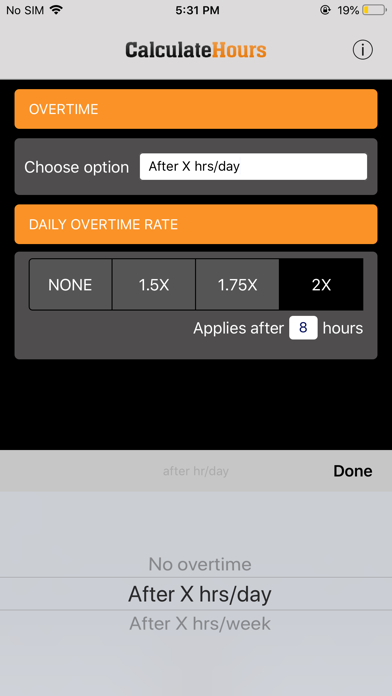
OVERTIME:
You can calculate overtime in your timecard after 8 hours daily or after 40 hours weekly.
Overtime Pay: you may select 1.5x, 1.75x, or 2x in the Overtime Tab.
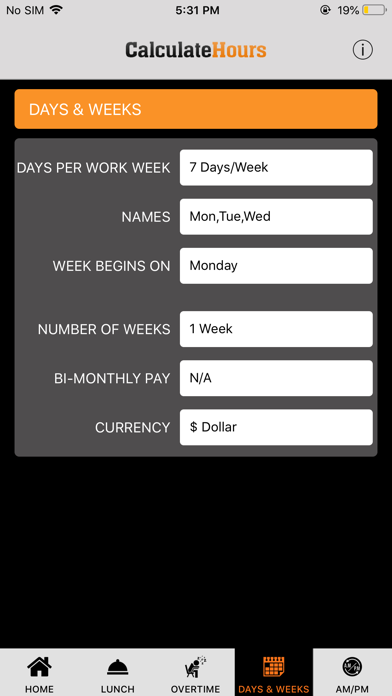
DAYS & WEEKS:
Set your number of work days per week, and the day your week begins for paycheck processing.
Choose between a weekly or a bi-weekly pay period.
Email or download the timesheet for future reference.