
iPhone Screenshots




Description
** Macworld editors award winner (San Francisco) — Featured in an Apple Keynote **
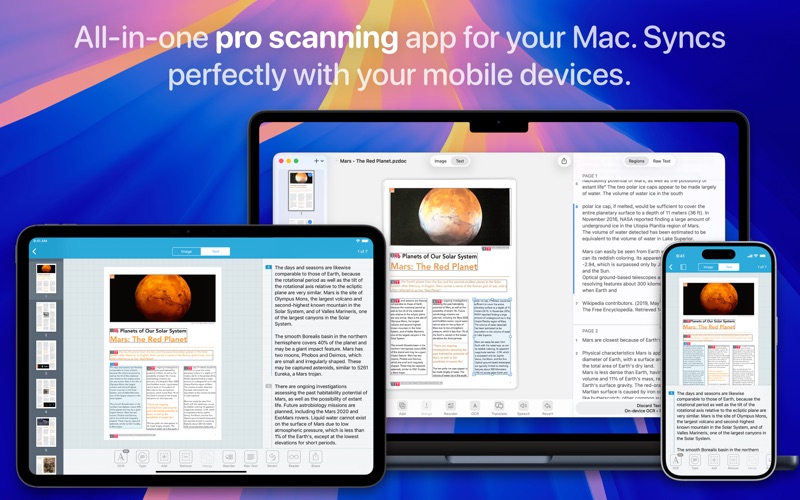
Prizmo 5 lets you scan paper or import digital files, recognize text with OCR, and export everything as clean, multi-page PDFs. Use a scanner or your camera, Prizmo adapts to your workflow. With advanced editing tools, precise OCR including handwriting recognition, business cards processing, and seamless text-to-speech and accessibility features, it’s built to do more. Export to searchable PDFs or DOCX, edit or translate text instantly, and enjoy it all in a clean, intuitive interface designed for Mac.
"My results were great, and it could definitely act as my only scanner."
— Joe Turner, MacApper (USA)
"Using Prizmo for many years, I am absolutely satisfied. Close to perfect scanning."
— bigpius (Switzerland)
"This app is really well done: fast and intuitive to use. A great help to go paperless, which is a blessing for a teacher!"
— LaurenceBa (Belgium)
One more thing: a purchase in either app gives you full access to both apps, Prizmo 5 and Prizmo Remix. Everything you need for seamless document management.
DOCUMENT INPUT
• Digital cameras (iPhone, iPad, DSLRs, etc.), Continuity Camera, connected and Wi-Fi scanners (TWAIN), screenshots
• Regular photo files including JPEG, RAW, TIFF, as well as PDF files
• Highest quality scans: up to 300+ DPI from photos or 1200+ DPI from scanners
• Automatic text orientation detection
• State-of-the-art page detection for documents in pictures
• Native documents syncing with Prizmo on iPhone/iPad using iCloud
TEXT RECOGNITION (OCR)
• High-performance Cloud OCR in 139 languages(*) + handwriting recognition
• Reliable & accurate on-device OCR with machine learning in 30 languages(*)
• Automatic text orientation detection
• Snap any text from your screen
• Add a hidden text layer to PDFs for content-based indexing
• Fine-grained OCR editing: text & regions, binarization
ENHANCE, EDIT & EXPORT
• Adjust rotation, perspective, cleanup mode (B&W, color, grayscale), brightness, contrast
• Flatten curved pages from books and magazines and repair edges
• Non-destructive edits: reprocessed from scratch without reshooting
• Export as searchable PDF, Word (DOCX) with original layout, TXT, PNG, JPEG
• Advanced PDF options: password protected PDF and advanced compression
(custom JPEG quality, CCITT G4, JBIG2) for smaller files
• Export business cards to Contacts or vCard
• Cloud-based AI translation(*) into 59 languages
ACCESSIBILITY
• Optimized for VoiceOver
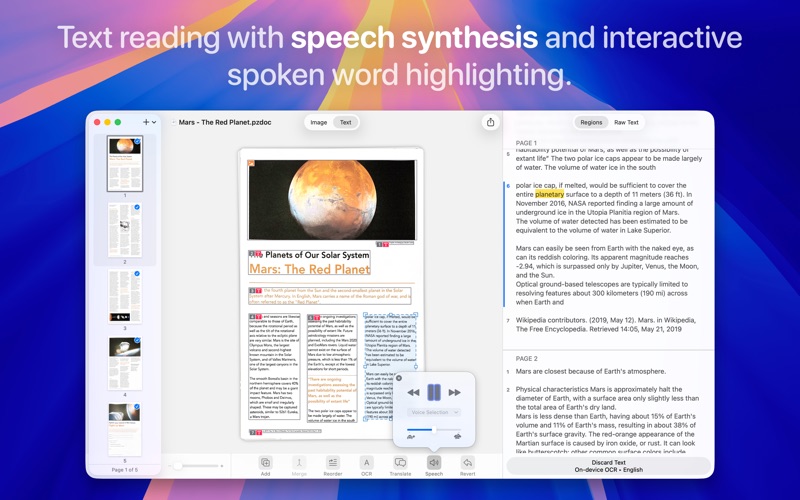
• Text-to-speech contents reading with word highlighting
BUILT FOR MAC
• Optimized for Apple Silicon and Core ML on-device AI
• iCloud & Continuity across iPhone, iPad & Mac
• Sandboxed, private, and secure document processing
• Text-to-speech and VoiceOver
• Optimized for latest macOS
• Cloud OCR with strict privacy: no storage, no learning, no data usage
PRICING
Prizmo is available as a free download to try it out. You can unlock Prizmo 5 with Pro Pack 5, a one-time purchase that includes feature updates up to the next major release, or with Pro Plan, a subscription that also includes all future updates. Upgrade pricing is offered in the app if you own a previous version. Cloud OCR and other cloud features like translation require Pro Plan. One purchase unlocks both Prizmo 5 and Prizmo Remix on your Mac.
HELP & FEEDBACK
Visit creaceed.com/prizmo for more information. Send your questions and feedback to [email protected]
Terms of Use: https://creaceed.com/terms
Privacy Policy: https://creaceed.com/privacy
(*) see pricing details for feature availability