
myClassroom: Class Tools
Customize lessons and manage classroom
Tanner Stoltz
iPhone Screenshots

Description
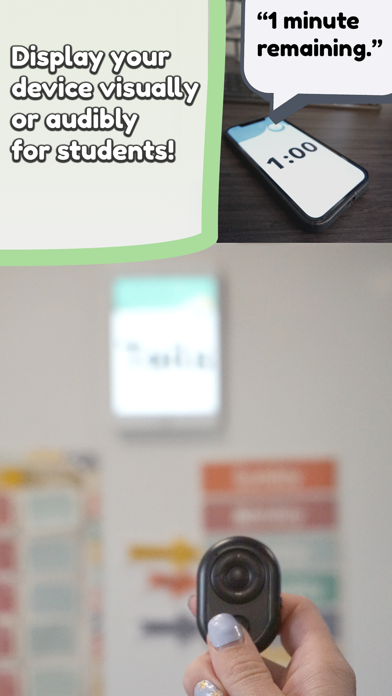
Alert students with customizable sounds and visual cues. Control classroom via Apple Watch or Bluetooth clicker. Customize features and settings for personalized use. Manage lessons and activities with integrated .
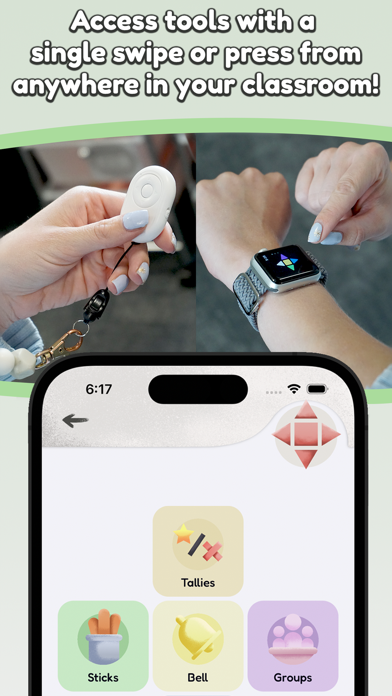
MyClassroom was has essential teacher tools that are designed to work fast. Even better, they works with an Apple Watch or Bluetooth clicker. This means you can place your iPhone or iPad anywhere in the room and still have access to your tools.
MyClassroom also offers extensive customization. If you don’t like how a tool works, there’s a good chance you can change it. Below is a list of tools and features that are just one press away!
Tools:
Bell
Alert your class with a variety of sounds to choose from.
Notes
Instantly save notes during hectic moments, with automatic logging of time, date, and subject. You can add text later.
Time
Quickly add time increments with each press. It's perfect when precise timing isn't necessary.
Coin & Dice
Randomly generate numbers and outcomes.
Sticks
Randomly call on students, with an option to prevent repeats.
Groups
Create student groups, with settings to avoid unwanted pairings.
Tallies
Keep track of positive and negative classroom behaviors.
Time Lost
Track time wasted by students using a stopwatch and a warning sound.
Hearts
Each press removes a heart. Hearts can automatically replenish after a preset amount of time.
Noise Meter
Tuned to student voice frequencies, with a buffer to prevent false alarms.
Music Box
Play over 150 instrumental tracks covering various genres and moods.
Brain Break
Meditate or get active with quick, interactive breaks.
Features
Routines
Set up your daily schedule and let the app automatically announce subjects and reminders. You won’t need to pull out your phone to turn off an alarm anymore!
Smart Seating
Seating charts with the ability to add rules, and use actual desk distances to generate seating charts.
This app is governed by Apple’s standard End User License Agreement (EULA), available here: https://www.apple.com/legal/internet-services/itunes/dev/stdeula/