
iPhone Screenshots


Description
Automating repetitive tasks can save time and energy. It can be used for gaming or keeping the system active.
Features:
- Can capture full-screen screenshots and search for targets to click;
- Supports left and right mouse button clicks;
- Set up auto-clickers with different keyboard combinations;
- Can set time intervals between clicks (millisecond-level, suitable for M1 and M2 Macs);
- Can start and stop the clicker via hotkeys, with customizable hotkey combinations;
- Can disable the clicker based on click count or time;
- Full-screen application and game support;
- Delayed start function;
- Create and use macros (keyboard and mouse recording and playback);
- Select target positions on the screen for clicking;
- Mouse movement function (no click): only moves without clicking;
- Random shake function: randomly shakes clicks within a specified area to simulate real operations;
- Press duration control: supports random press duration range to improve click authenticity;
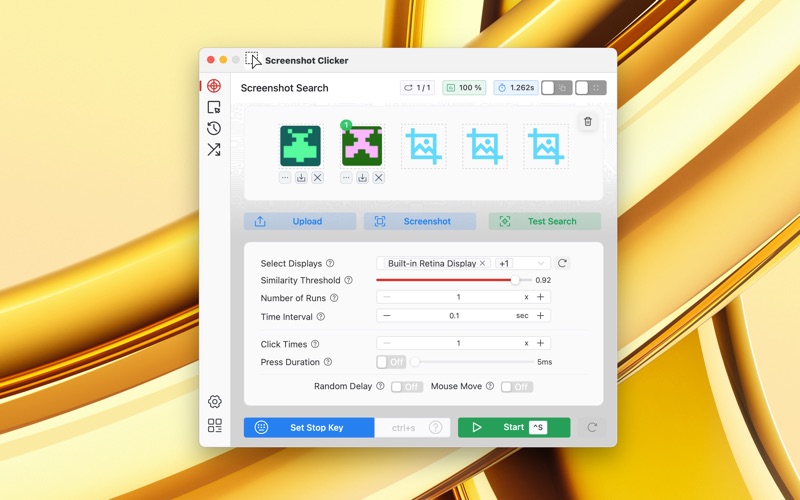
- Screenshot search function: supports searching multiple screenshots simultaneously with hit count statistics;
- Image upload function: supports uploading screenshots from files for searching;
- Bouncing cursor screen saver: prevents screen sleep, supports multiple displays.
Notice!
Please note that in order for the application to automatically execute clicks and key presses at set time intervals in any application or page on Mac, we need to obtain access permissions. The application will remind you when requesting permissions.