
iPhone Screenshots




Description
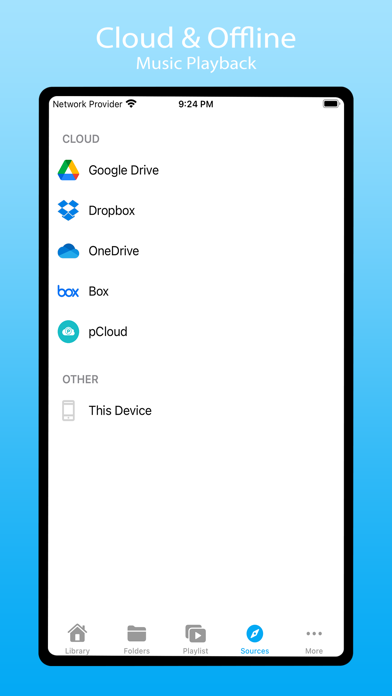
Stream from Google Drive, Dropbox, OneDrive, Box, pCloud, ownCloud, NextCloud, and WebDAV. Play songs offline or online. Download and organize files. Sync libraries across accounts. Blacklist songs and folders for customization.
Spiral Player is a cloud & offline music player with tons of customisation options. Use it as an offline music player or link your Google Drive, Dropbox, OneDrive, Box, pCloud, ownCloud, NextCloud and WebDAV to stream music directly from it. Spiral Player works both offline and online. You may download songs, folders and listen offline. Easily sync your music library from connected cloud accounts. You can also blacklist songs and folders to keep your music library organised. Backup & sync your playlist, blacklist, favorites etc using Backup & Restore.
User Interface:
• Material Design.
• Quick search, Easy navigation.
• Tons of sort options.
• Other UI customisation options.
Playback:
• Adjust Playback speed.
• Support for embedded lyrics.
• Support all the most popular music file formats.
• Repeat all, repeat one and shuffle.
• Bookmarks.
• Adjust playback cache size.
Cloud Music:
• Sync your music library with connected cloud accounts.
• Download or stream music directly from your cloud account.
• ‘Downloaded Only’ Mode to filter out cloud songs.
• Option to hide duplicates in library.
Tag Editor:
• Edit audio file tags.
• Update album art for audio files.
Playlist:
• Create playlist from songs, albums, folders.
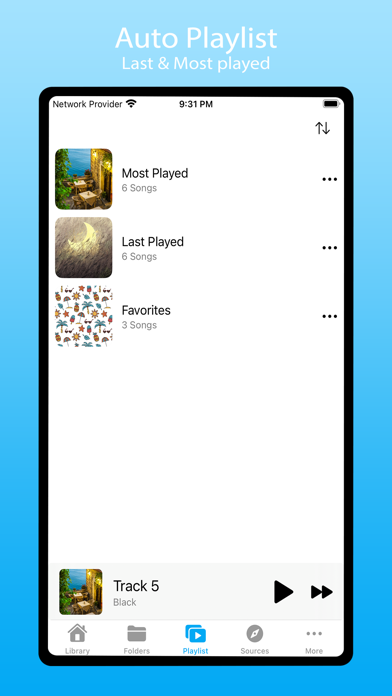
• Last Played and Most Played auto playlist.
Other Features:
• Backup & Restore.
• Blacklist songs and folders.