
iPhone Screenshots


Description
This App connects with Predator Raptor Powersport Batteries using a mobile device.
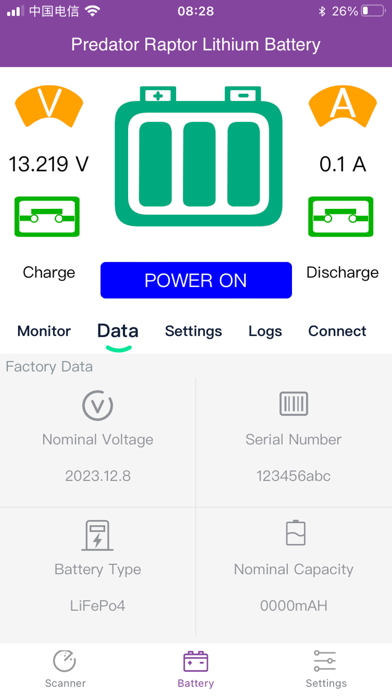
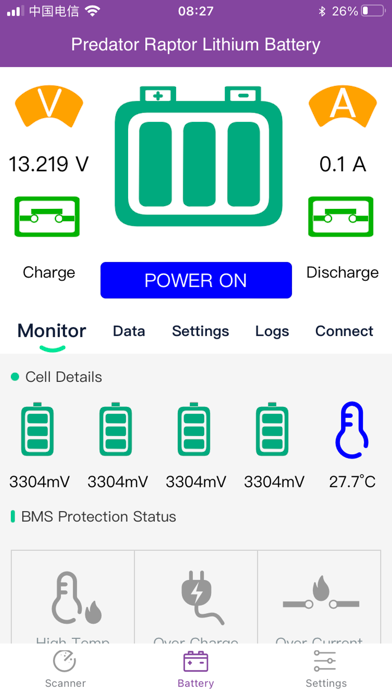
Once connected, the top section of the screen shows the current battery status including voltage & current flow, and allows you to switch the battery ON and OFF
There are also a number of lower screens available:
MONITOR shows the individual cell details, battery temperature and the BMS protection status
DATA displays the nominal voltage & capacity, battery type and the serial number
SETTINGS allows you to query and adjust battery settings
LOGS allows you to see a log of battery events
CONNECT displays the connected battery serial number and allows you to DISCONNECT & RE-CONNECT
The APP SETTINGS screen, which is selected from the bottom of the screen allows you to change the scan interval, deactivate the scanner once a battery is connected and shows the App version.
Please refer to the Owner’s Manual for a more detailed explanation of the App and battery operation.