
iPhone Screenshots



Description
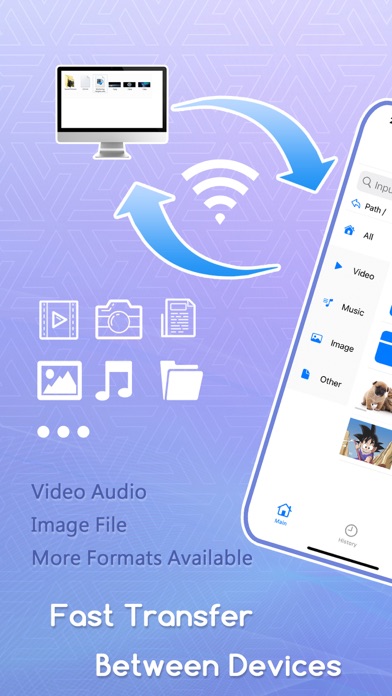
This is a local file server application** that includes features such as video playback, audio playback, image viewing, document viewing and editing, PDF viewing, 3D model viewing, streaming media playback, and file transfers between the app and the photo album.
-File Server
Use your mobile device as a file server. Simply enable the file transfer feature and enter the URL provided by the app in your browser to manage or upload files from the web.
The app offers a built-in file management system, supporting actions such as creating folders, creating text files, batch deletion, copying, cutting, compression, and decompression.
Currently, zip is supported for compression and decompression, with support for more formats coming in future updates.
-Video Playback
An integrated video player allows you to watch videos uploaded to your device.
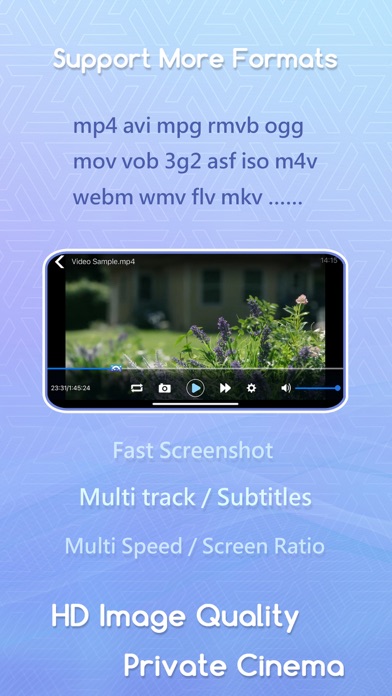
Supports a wide variety of video formats, including:
`.3g2`, `.3gp`, `.3gp2`, `.3gpp`, `.amv`, `.asf`, `.avi`, `.bik`, `.bin`, `.divx`, `.drc`, `.dv`, `.f4v`, `.flv`, `.gvi`, `.gxf`, `.iso`, `.m1v`, `.m2v`, `.m2t`, `.m2ts`, `.m4v`, `.mkv`, `.mov`, `.mp2`, `.mp4`, `.mp4v`, `.mpe`, `.mpeg`, `.mpeg1`, `.mpeg2`, `.mpeg4`, `.mpg`, `.mpv2`, `.mts`, `.mxf`, `.mxg`, `.nsv`, `.nuv`, `.ogg`, `.ogm`, `.ogv`, `.ps`, `.rec`, `.rm`, `.rmvb`, `.rpl`, `.thp`, `.tod`, `.ts`, `.tts`, `.txd`, `.vob`, `.vro`, `.webm`, `.wm`, `.wmv`, `.wtv`, `.xesc`
Local Save: Keep track of and manage your personal playback history.
Playlist Feature: Automatically generates a playlist of all videos in the current folder for easy switching.
Screenshot: Capture your favorite scenes at any time.
Recording: Easily record and save video clips.
-Playback
Use the same built-in media player to play local audio files.
Supported audio formats include:
`.3ga`, `.669`, `.a52`, `.acc`, `.ac3`, `.adt`, `.adts`, `.aif`, `.aiff`, `.amr`, `.aob`, `.ape`, `.awb`, `.caf`, `.dts`, `.flac`, `.it`, `.kar`, `.m4a`, `.m4b`, `.m4p`, `.m5p`, `.mid`, `.mka`, `.mlp`, `.mod`, `.mpa`, `.mp1`, `.mp2`, `.mp3`, `.mpc`, `.mpga`, `.mus`, `.oga`, `.ogg`, `.oma`, `.opus`, `.qcp`, `.ra`, `.rmi`, `.s3m`, `.sid`, `.spx`, `.thd`, `.tta`, `.voc`, `.vqf`, `.w64`, `.wav`, `.wma`, `.wv`, `.xa`, `.xm`
Playlist Feature: Automatically generates a playlist of all audio files in the current folder for easy switching.
-Image Viewing
View uploaded images directly within the app.
You can share images with friends or save them to your photo album.
Supports zoom and pan gestures for easy inspection of image details.
-Document Viewing and Editing**
Supports viewing of Word, Excel, and PowerPoint documents.
You can also edit various text file formats directly within the app or create new text files.
Supports multiple character encodings for cross-platform compatibility.
Adjustable font sizes for visual comfort.
Light and dark mode available to reduce eye strain.
-PDF Viewing
Supports viewing and saving of PDF files.
Includes features like page display and reading progress saving.
-3D Model Viewing
Supports viewing of 3D model formats including:
`.dae`, `.scn`, `.usd`, `.usda`, `.usdc`, `.abc`, `.gltf`, `.glb`, `.ply`, `.stl`, `.3ds`, `.usdz`, `.obj`, `.fbx`
-Streaming Media Playback
Supports a variety of streaming formats.
During playback, you can take screenshots or record clips, allowing you to easily save your favorite content.
-Photo Album and App File Transfer
You can copy images or videos from the app to your photo album and vice versa.
This makes it easy to download photos from your photo album to a computer via the app.
More File Format Support Coming Soon
Support for additional file formats will be included in future updates.