
iPhone Screenshots

Description
LUT Converter makes it easy to translate your creative color looks between different LUT representations.
Whether you’re a filmmaker, photographer, or colorist, you can quickly convert LUTs for use in professional desktop apps like DaVinci Resolve, Premiere Pro, Final Cut Pro or mobile apps like VideoLUT.
Key Features:
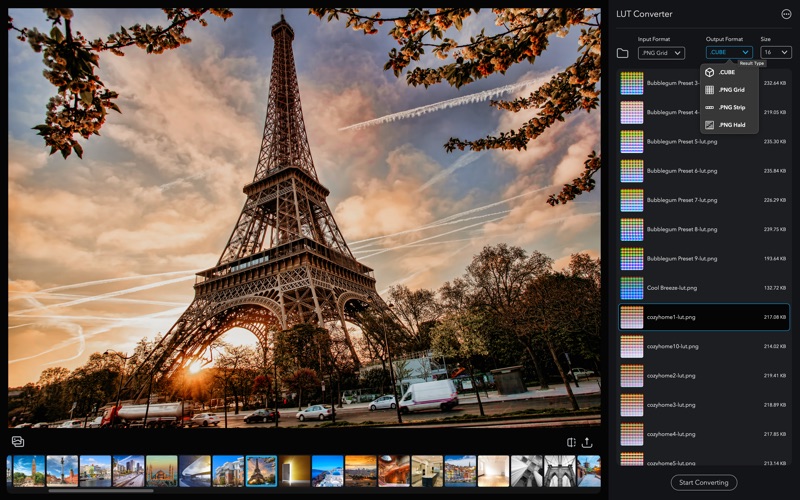
- Multi-format support: Convert between PNG LUT tables (Grid, Strip, Hald), .cube, and .3dl.
- Batch conversion: Process multiple LUTs at once to save time.
- Preview your LUTs: Test with your own images using the built-in preview, Before/After view, and Save Image option.
- VideoLUT integration: Send LUTs directly to VideoLUT app on iPhone via iCloud or email.
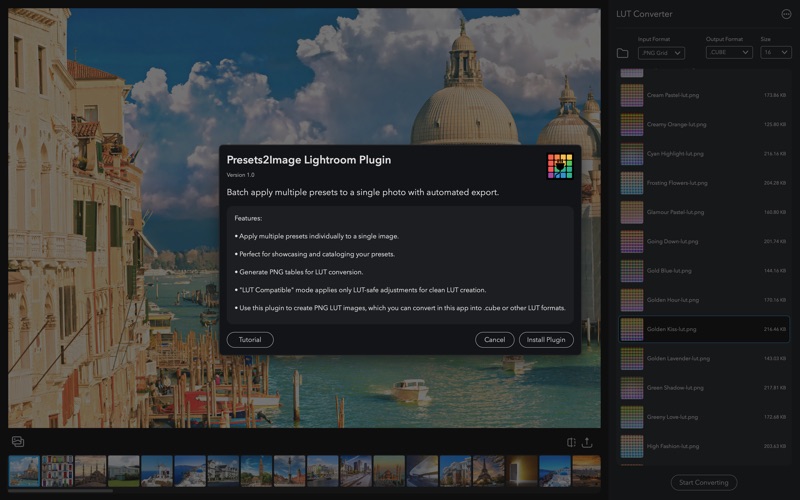
- Lightroom preset conversion: Use with our Presets2Image plugin to turn Lightroom presets into LUTs.
Common Workflows:
- Convert PNG LUT tables to .cube for use in DaVinci Resolve and other grading tools.
- Send LUTs to VideoLUT on iPhone in just a few taps.
- Turn Lightroom presets into LUTs with Presets2Image, then refine in LUT Converter.
Why LUT Converter?
Your creative look shouldn’t be locked to one format. LUT Converter bridges the gap so you can use your favorite grades anywhere, on any platform.
Terms of Use (EULA): https://www.apple.com/legal/internet-services/itunes/dev/stdeula/