
iPhone Screenshots



Description
StuPlayer is a simple player for people with a music collection that uses m3u files for each album.
The music collection needs to be organised by type, artist, and album. Each album folder should have one m3u file containing the album tracks in the desired order. Types can be something like the genre of the music or the type of the files (e.g. Jazz or MP3).
Simply press the root folder button and select the folder of your music collection. StuPlayer will then search the folders for m3u playlists.
N.B. The root folder structure must be as shown below and m3u files should be in UTF-8.
type
artist
album
audio files
m3u file
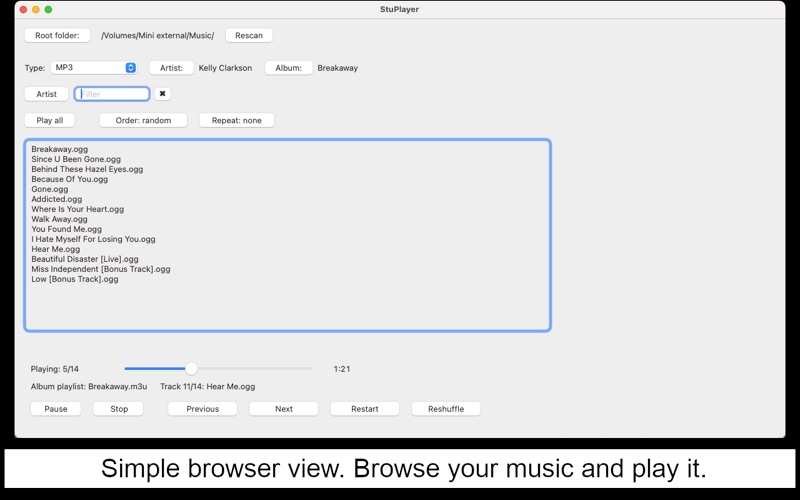
Once the search is complete, StuPlayer will display the list of artists for the selected type.
Clicking on an artist will display the albums for that artist.
Clicking on an album will display the contents of the m3u for that album.
Clicking on a track will play the album starting with the track you clicked.
You can easily navigate back to the list of artists or list of albums by clicking on the Artist or Album buttons.
If at any point you wish to play all the tracks, or all the tracks from one artist, or from one album, you can click on the Play all button.
Track order (in order or random/shuffle) and repeat modes can also be selected as desired.
Playback is handled by the SFBAudioEngine, which provides support for a wide-range of formats (such as older ones like mp3, ogg vorbis, and flac, and newer ones like m4a and opus). For more details, see https://github.com/sbooth/SFBAudioEngine
The project is open-source, the code can be found here:
https://github.com/fig7/StuPlayer