
iPhone Screenshots




Description
Filet Crochet Top Pattern Creator for your mobile device.
Comes with 3 free crochet top patterns. Download is free. To activate creation is $2.99.
Create Filet Crochet top patterns from filet crochet top templates. Each template has a front and back top pattern. Some top patterns also have a sleeve template. Over 18 top templates to choose from.
To create a filet crochet top pattern, select Create a Filet Crochet top pattern button. A dialog of top templates will appear. Select one of the templates to start with. The create filet crochet top pattern editor will appear. Fill in the squares or select a special stitch to add to your pattern.
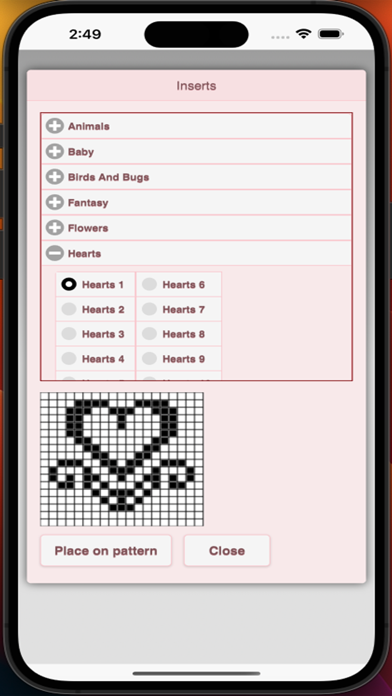
You can also select from over 200 stamps and inserts to place on your filet crochet top pattern.
Toolbox buttons left to right:
Save button - use to save your filet crochet top pattern
Pencil button - use to (draw) fill-in squares on your filet crochet top pattern
Eraser button - use to erase squares on your filet crochet top pattern
Fours square stitch button - use to add the filet crochet stitches displayed on the icon to your pattern
Two square stitch button - use to add the filet crochet stitches displayed on the icon to your pattern
Trim button - completely remove squares from your filet crochet top pattern. Allows you to change the shape of your top pattern.
Stamps button - add little stamps (little designs) to add to your top pattern
Inserts button - add pattern inserts to your top pattern (like roses)
Bucket button - fill in adjacent squares with bucket fill
Undo button - undo each last change you made to the filet crochet top pattern.
Redo button - redo each changes you undid.
Selection button - select area of pattern to cut or copy
Cut button - remove all stitches under selected area. See Selection button .
Copy button - copy all stitches under selected area. See Selection button .
Paste button - paste the cut or copied stitches. See Selection button , Cut button and Copy button
Flip Left/right button - first select the area of the pattern to flip. See Selection button. Then the Flip left/right button. The area selected will flip.
Flip Top/bottom- first select the area of the pattern to flip. See Selection button. Then the Flip top/bottom button. The area selected will flip.
Insert Row button - To insert a row, select insert Row button. Now select on your pattern where you want the row to be inserted.
Insert Column button - To insert a column, select insert Column button. Now select on your pattern where you want the column to be inserted.
Zoom in button - zoom in on your top pattern
Zoom out button - zoom out on your top pattern
Print button - print pattern and finished product picture to a printer
Share button - share a picture of your top pattern using email, text etc.
Help button - get help on the features of Filet Crochet Top Pattern Creator