
iPhone Screenshots


Description
AI Cleaner frees up storage and keeps your iPhone tidy — privately, on your device.
Remove duplicates and look-alikes, compress large videos, and review everything before you delete.
WHAT YOU GET
– Duplicate & Similar Finder: detect exact duplicates, bursts, screenshots, blurry and near-duplicate photos.
– Smart Keep: grouped results with clear picks to keep the best shot and remove the rest.
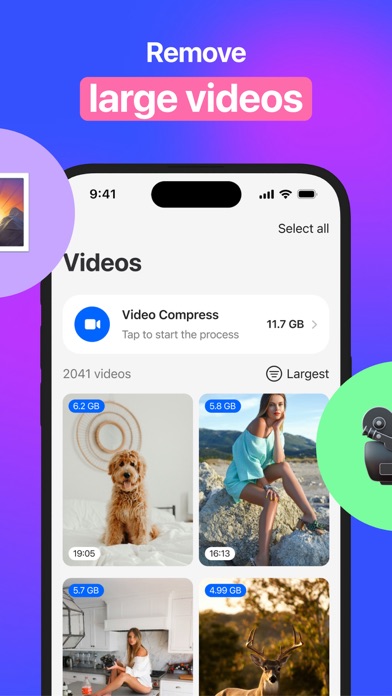
– Large Files Cleanup: sort videos by size and delete the biggest ones first.
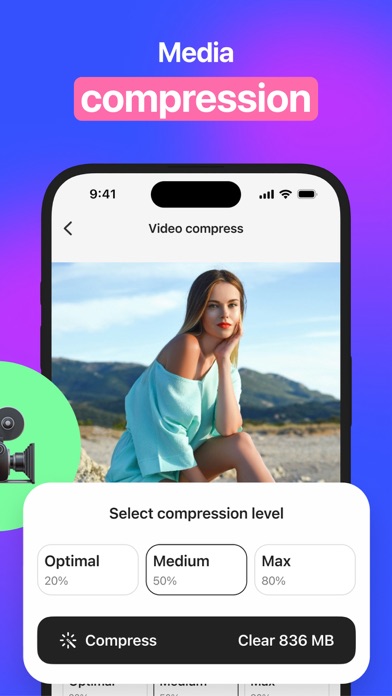
– Video Compression: shrink large videos to save GB while maintaining visual quality.
– Safe Review: full preview, select/deselect, and undo before deletion.
– On-Device Processing: analysis and cleanup run locally. No cloud uploads. No account.
HOW IT WORKS
1) Scan your library on the device.
2) Review grouped results and adjust selections.
3) Delete or compress in a couple of taps.
PRIVACY
All analysis happens on your iPhone. Your photos and videos never leave the device.
NOTES
Deleting moves items to “Recently Deleted”. To free storage immediately, open
Photos > Albums > Recently Deleted and empty it after cleanup.
SUBSCRIPTION
– Weekly and Annual plans available.
– Free 3-day trial with full access.
– Payment is charged to your Apple ID at purchase confirmation.
– Subscription renews automatically unless canceled at least 24 hours before the end of the current period.
– Manage or cancel in Settings > [your name] > Subscriptions.
– Any unused portion of a free trial is forfeited when you purchase a subscription.
Terms of Service: https://awesomeapps.pro/cleaner/terms
Privacy Policy: https://awesomeapps.pro/cleaner/privacy