
CCC Mobile Backup
Photos and files to Mac or network
Bombich Software, Inc.
iPhone Screenshots

Description
Media and files from Photos and Files apps to Mac, network volume, or iPhone/iPad storage. Transfer files directly to disks managed by CCC. Manage volumes through the desktop application.
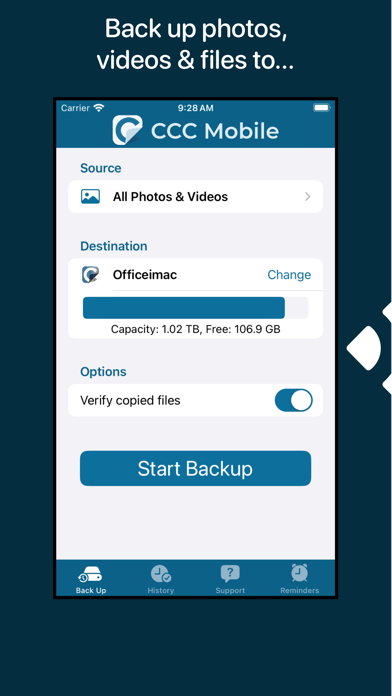
Back up media and files from the Photos and Files applications (that are stored locally on your mobile device) with ease to your Mac, to a network volume, or to storage attached to your iPhone/iPad.
Bring your iPhone or iPad files and photos into your CCC Desktop backup ecosystem. Back up files and photos directly from your mobile device to a backup disk attached to your Mac that’s managed by CCC. Just a few taps on your mobile device, then the desktop application handles volume management, encryption, verification, and backup versioning.
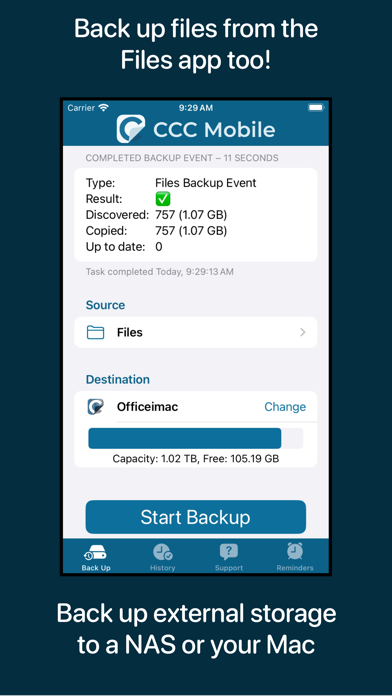
CCC Mobile can also back up files from your Photos Library and from the Files application (that are stored locally on your mobile device) to an external storage device attached to your iPhone/iPad, or to Network Attached Storage on your local Wi-Fi network.
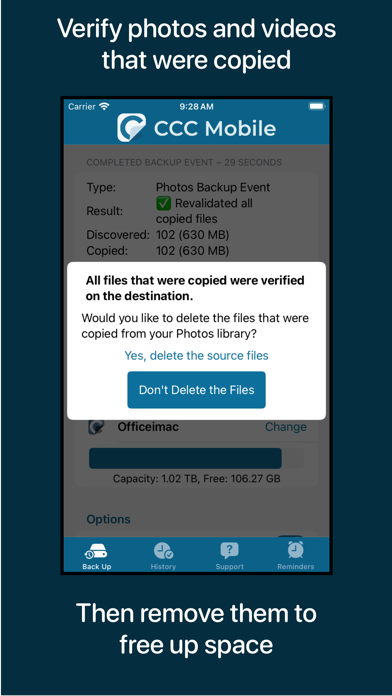
Looking to offload some photos from your mobile device? CCC mobile can verify the files that were backed up, then offer an option to delete those files from the source to free up space.