
Perch Pot
Track glazes, document results, search projects
Jeffrey Mohan
iPhone Screenshots



Description
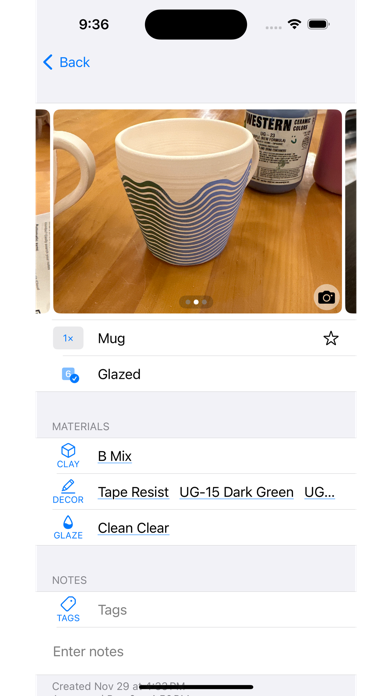
Track pottery projects with notes, photos, and glaze details. Search, sort, and filter entries by project stage, clay type, or custom tags. Attach photos directly to entries for visual reference and organization.
Organize your pottery work with an app that's always in your pocket. Track glazes with a tap, document what works (or doesn't) with a photo, and have it all searchable.
Perch Pot helps you track everything about your pottery projects:
• Search, sort, filter — Full text search for your notes, sort by what stage your project is at, or filter to a particular clay or custom tag
• Photos — Pictures help you remember your work like nothing else, so they're front and center right alongside your notes
• Automatic sync — Out of the box backup and syncing for all your projects privately on your iCloud account
• Optimized workflows — Everything you track should be quick and painless so you can get back to making
• Customize everything — What stages do you want to track your projects through? What glazes does your studio have? Customize stages, forms, clays, decorative techniques, glazes, and custom tags
• Ideas — Capture project ideas like a neat decorative technique or a good glaze combo in a separate section
• Undo delete — Anything you delete can be found and recovered from the recently deleted section of settings
• Export your data — You shouldn't be locked into an app, so you can always export all your photos and data (and import data from elsewhere)
I built the app I wanted to use for my pottery, and it's really improved how I work. Perch Pot will always be free so anyone can bring a bit more beauty into this world. Happy potting!