
Wireless Extender for USB Tool
Magic Control Technology Corporation
iPhone Screenshots


Description
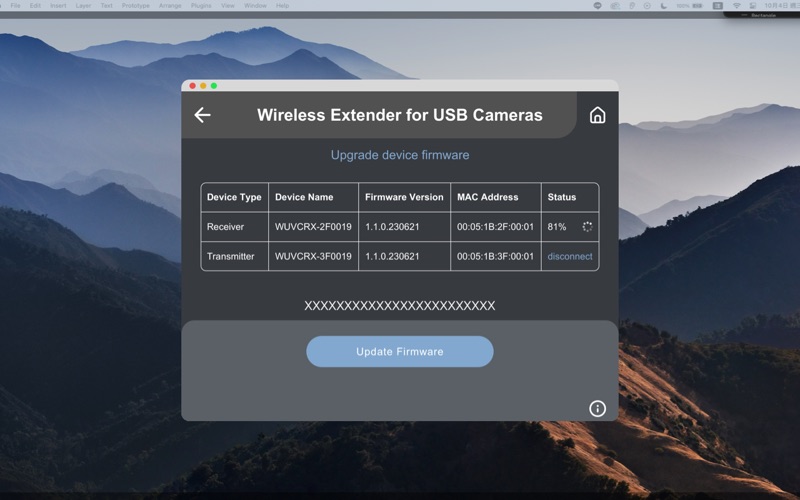
This application is used for wireless firmware upgrade of "Wireless Extender for USB Camera " device.
Please follow the steps below to upgrade device firmware wirelessly,
1. Please check whether the Wi-Fi connection of your computer is enabled.
2. Click “START SEARCHING” button to find the device.
3. Select the "Wireless Extender for USB Cameras" device to connect to.
4. Upgrade the device firmware.
Notes:
1. DO NOT turn off the power during the upgrade process, otherwise it may cause permanent damage to the product.
2. After the upgrade process is completed, wait for some time for the system to restart.