
Timestamp Camera: GPS to video
Guangzhou Brilliance Forever Information Technology Co.Ltd
iPhone Screenshots


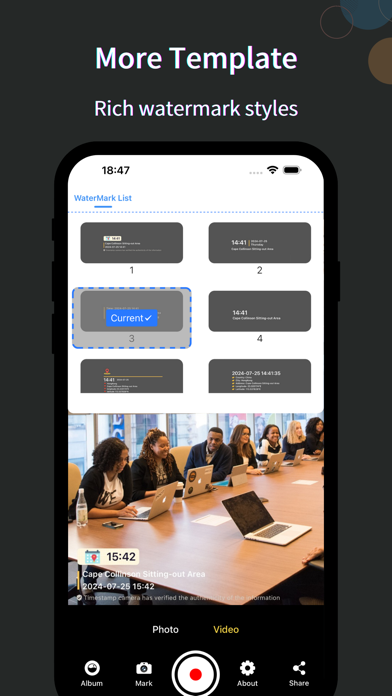
Description
This is a professional real-time watermark camera app that supports adding live watermarks to photos and videos. It offers a rich variety of watermark templates, making it an essential tool for workers.
Main Features and Characteristics:
Recording and Photography: Our app supports adding watermarks while taking photos and recording videos, ensuring every frame perfectly displays your information.
Album Watermarking: Not only can you add watermarks during shooting, but you can also select photos from your album to add watermarks, giving your old photos a fresh look.
Rich Templates: We provide a wide range of watermark templates to meet different styles and occasions. From minimalist to artistic, we have them all covered.
Preview and Adjustment: Before adding a watermark, you can preview the effect and make fine adjustments to ensure the watermark is perfectly embedded into your photos and videos.
High-Quality Output: Our app ensures that the generated photos and videos are of the highest quality, whether you're sharing on social media or keeping records for work.
Convenient and Easy to Use: A friendly user interface and intuitive operation make it easy for anyone to use the app.
Download the Timestamp Camera and start documenting your daily life and work now!
Membership Information:
Subscription Tiers: Weekly, Monthly, Annual Membership
Membership Payment: Users are charged through their iTunes account, with payment being processed upon confirmation of purchase.
Subscription Renewal: User's iTunes account will be charged within twenty-four hours before the end of the current period, extending the corresponding subscription period.
Cancellation of Subscription: To cancel renewal, go to "iTunes Store & App Store" -> tap on "App ID", enter the "Account Settings" page, tap on "Subscriptions", and select to cancel the subscription.
Restoring Purchases: If you are prompted to purchase after buying, you can tap the "Restore Subscription" button at the bottom of the subscription interface.
Privacy Policy: http://camera.sunnever.com/camera/policy.html
User Agreement: http://camera.sunnever.com/camera/service.html