
iPhone Screenshots


Description
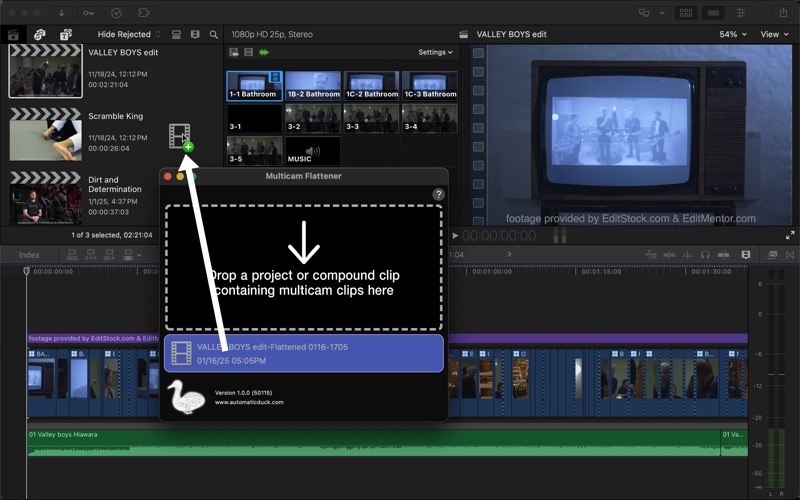
Flatten and commit Multicam clips in a Final Cut Pro timeline.
Multicam Flattener solves one of FCP users' most-requested features!
Editors frequently need to "flatten" Multicam clips in order to:
• Commit their edits
• Stabilize a Multicam clip but the Multicam clips don't allow that feature
• Connect the Date and Time title but the title shows the creation date of the Multicam clip and not the date of the clip in the active angle
The flattened sequence created by Multicam Flattener removes the Multicam clips found in the timeline and replaces those clips with the original media from the selected angles.
Suggestions and notes:
** Mixing frame rates between clips-inside-angles and multicam clip wrappers can cause small errors in flattening.
** Experimental support: Retiming
** Multicam clips with constant forward speed retiming should flatten successfully, but more-complex multiple-speed retiming could have have timing errors in the flattened result
** Reverse speed retiming is not supported
Visit the Support URL to view Multicam Flattener help articles.