
iPhone Screenshots


Description
[Introduction]
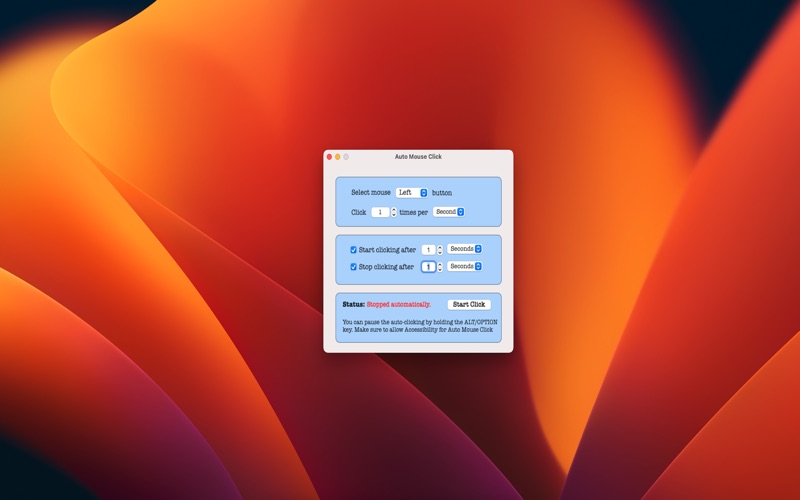
Auto Mouse Clicker is most use to Auto click with desired mouse button
[Features]
• Set mouse left, middle and right button
• Set mouse click interval as per your wish
• Start & Stop timer to Stop Auto Mouse Clicking
• Access in Full your mac screens and user for Games for clicking
• Pause auto mouse clicking with press and hold Alt/Option keyboard key
[Permission Settings]
1. Open “System preference -> Security & Privacy -> Privacy -> Accessibility”
2. Enable “Auto Mouse Click”
OR if not found AutoMouse Click app in Accessibility list, please add app manually with press + button and select app from Application folder. Then Enable Auto Mouse Click app.
[Notes]
• Auto Mouse Click automatically perform clicks ans keystrokes in you whole mac screen and any open pages. So start auto click as per your desired pages
[Contact Information]
If you have any question, please contact on [email protected]
Privacy Policy - https://github.com/SmartiOSDev/Auto-Mouse-Clicker/blob/main/PrivacyPolicy.md