
iPhone Screenshots


Description
Quotastic – Daily Quotes
Quotastic brings you a little inspiration, whenever you need it: one beautiful quote at a time, a daily quote at the time you choose, and widgets for your Home Screen.
_____
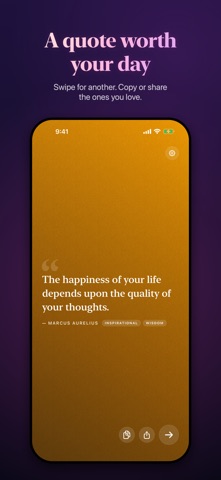
A quote worth your day
• One quote at a time, full screen, in an elegant serif on rich gradients.
• Swipe for another, or tap the arrow.
• Copy or share the ones you love.
Every morning, if you like
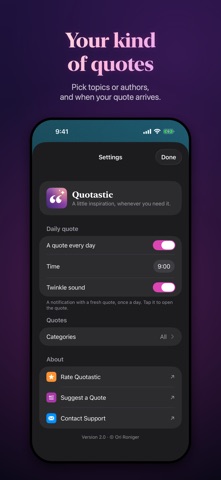
• Turn on a daily quote and pick the time – a fresh quote arrives as a notification, with a soft twinkle (or the standard sound).
• Tap it to open the quote in the app.
Your kind of quotes
• Over 1,700 quotes from 400 authors – writers, philosophers, poets, scientists, artists, athletes and activists, from many cultures and eras.
• Choose by topic: Wisdom, Love, Humorous, Strength, Faith and Spirituality, Philosophical, Inspirational, Motivational, Arts and Science.
• Or by who said them: Literature, Philosophy, Science and Technology, Arts, Sports, Activism and more.
• Every quote comes up once before any repeats.
• A carefully checked library: every new quote has a known source, and misattributed ones are credited to whoever really said them.
On your Home Screen
• Small, medium and large widgets (and extra large on iPad) that follow your categories, with a new quote every 10 minutes – or 15, 30 or 60.
• A Lock Screen widget with a short quote under the clock, also in StandBy.
• Tap a widget to open its quote.
Also on Mac
• Quotastic is one purchase for iPhone and Mac: on your Mac, a quote card slides into the corner of your screen every few hours, without ever getting in the way.
Private by design
• No accounts, no tracking, no analytics. Your settings stay on your iPhone. Crash reports are sent only if you agree.
_____
Questions, feedback or a favorite quote we're missing?
Send us a message at quotastic.roniger.co.il/contact (or from Settings › Contact Support) – your input shapes every release.