
Stitch Screenshots Easiest Way
Record screen with control center
Xiamen Dehui Chengzhen Network Technology Co., Ltd.
iPhone Screenshots


Description
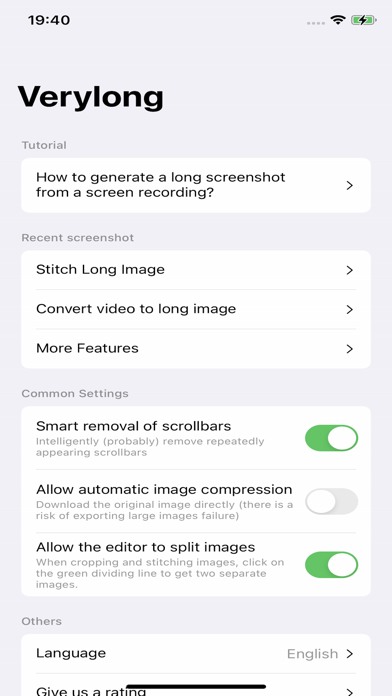
Record screen content with extended duration by accessing the control center and selecting the "Verylong" option. Start recording after ensuring all content is loaded. Stop recording manually and save the file for later use.
With this software, you can easily capture content that extends beyond a single screen. Here are the simple steps:
**Preparation:**
OPEN Settings; select Control Center; ensure the Screen Recording option has been added:
**Steps:**
1. Prepare the content you want to capture, ensuring that dynamically loaded content is fully loaded.
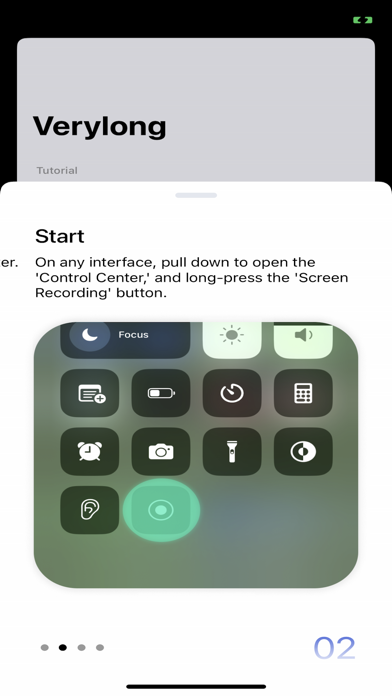
2. Pull down the control center, long-press the screen recording button.
3. Choose the "Verylong" option, then click on start recording.
4. Return to the content page you want to capture before the countdown ends.
5. When the recording button is illuminated, start scrolling through the page.
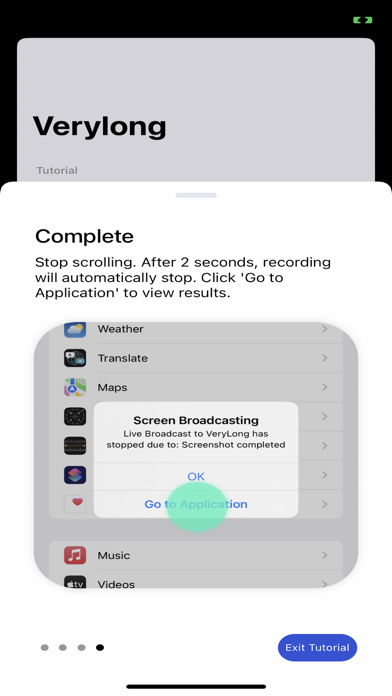
6. Lift your finger from the screen at the desired endpoint for recording and wait for 3 seconds.
7. After 3 seconds, a pop-up window will appear, click on "Go to the app."
Congratulations, you have completed the screenshot operation!
User Agreement:https://metal-basin-5f3.notion.site/Pro-Verylong-Terms-of-Use-7adc43bede7846f9996541e8def24566?pvs=4
Privacy Policy: https://metal-basin-5f3.notion.site/Pro-Very-long-Privacy-Policy-c43443aaa77049f5a33bf97a985f0bdf?pvs=4