
iPhone Screenshots



Description
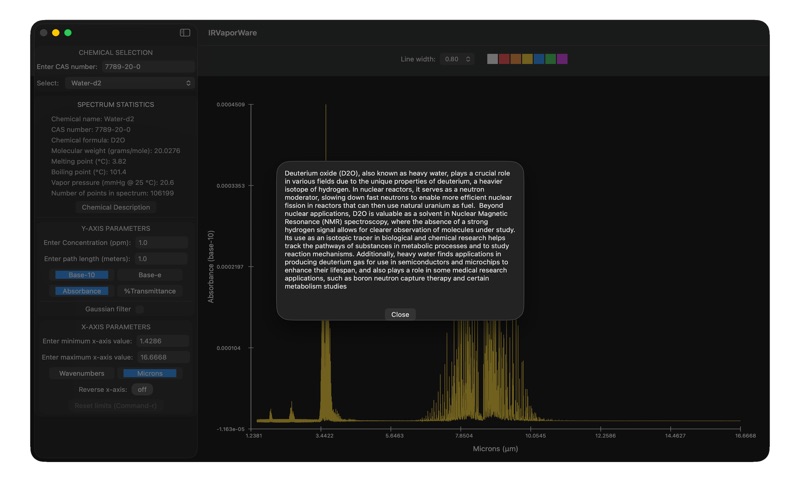
Analyze chemical spectra using common names or CAS numbers. View spectral resolution, chemical properties, and usage details. Adjust concentration levels and modify spectra with Gaussian filters. Zoom in using cursor or keyboard input.
Specifications:
(1) Spectral selection by common chemical name or CAS number,
(2) Spectral resolution 0.112 cm-1 at full width, half maximum height (FWHM),
(3) Includes chemical formula, molecular weight (grams/mole), freezing and boiling point, vapor pressure, and a description of the chemical's usage,
(4) Zoom in by dragging cursor or entering values by keyboard,
(5) De-resolve spectra by convolving with Gaussian filter (0.5 to 50 cm-1 FWHM),
(6) Change concentration (parts per million) and path length (meters),
(7) Display spectra in absorbance or transmittance,
(8) Display absorbance in base-10 or base-e,
(9) Display full spectrum (typically 600 to 6,500 cm-1) or user-selected range,
(10) Switch between Wavenumbers and Wavelength (microns),
(11) Includes integrated cross-section, in units of cm/molecule,
(12) Display and save spectra as low-to-high or high-to-low wavenumber/microns,
(13) Save entire or selected portion of spectrum, as plain text file.