
iPhone Screenshots




Description
Transform ordinary screenshots into stunning, professional visuals in seconds with Capcha. Designed for speed and creativity.
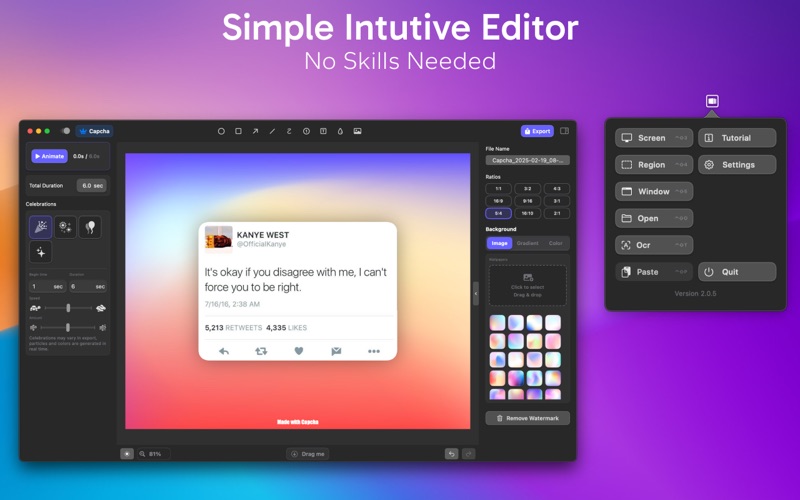
Capcha lets you capture, customize, animate, and share polished screenshots effortlessly. Whether you're showcasing a website design, highlighting a video moment, or sharing a conversation, Capcha ensures your screenshots stand out.
Powerful Features:
◆ Screenshot Enhancement – Add rounded corners, rotation effects, colorful borders, and stylish shadows.
◆ Smart Image Composition – Merge multiple screenshots to showcase your work, progress, or achievements.
◆ Beautiful Backgrounds – Choose from stunning wallpapers, gradients, and solid colours.
◆ Optimized for Social Media – Presets for the perfect size and aspect ratio.
◆ Easy Element Control – Move, resize, and align elements with precision.
◆ Advanced Annotation Tools – Add styled text, curved lines, and blur effects etc.
◆ Redaction & Privacy – Hide sensitive text like credit card details, emails, all text, in one click.
◆ Smart Cropping & Stitching – Remove unwanted inner or outer areas and auto-balance your layout.
◆ Fast OCR – Extract text instantly from screenshots.
◆ Short Animations – Create engaging animations from your snapshots and elements.
◆ Dynamic Motion Effects – Add smooth entry & exit animations to bring screenshots to life.
◆ Celebratory Effects – Confetti bursts, fireworks, and floating balloons to highlight wins!
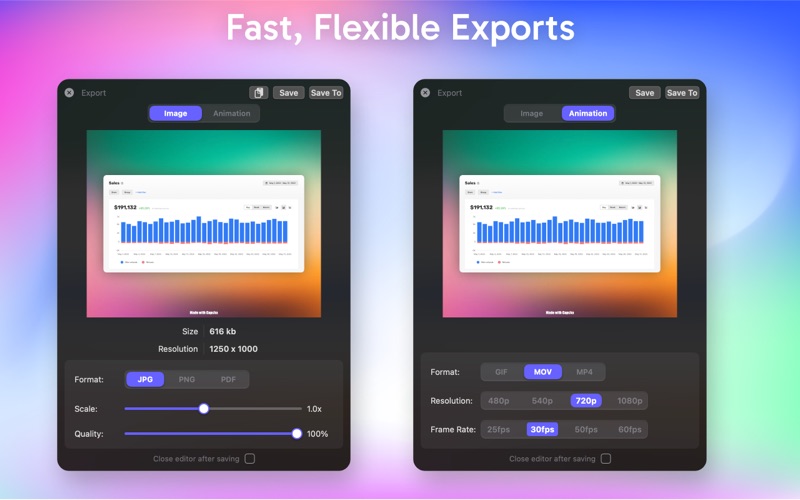
◆ Flexible Export Options – Export as image or video with advanced settings.
◆ Seamless Sharing – Instantly share via DragMe or copy to clipboard.
◆ Custom Shortcuts – Assign shortcuts for quick access and effortless workflow.
Learn more: https://robzapps.com/capcha
Privacy Policy: https://robzapps.com/capcha/privacy
Terms of Use: https://robzapps.com/capcha/terms