
iPhone Screenshots


Description
Boost productivity with Pladitor! Double-click any diagram text for instant source navigation. Your intuitive PlantUML editor.
Pladitor, your go-to PlantUML diagram editor, simplifies the creation, editing, and sharing of diagrams. With a robust editor, live preview, built-in templates, and more, it's your all-in-one diagramming solution.
EDITOR
• Our dynamic editor offers syntax and line highlighting, auto-completion, shortcuts, and real-time syntax-error feedback.
• Multi-tab support allows you to work on multiple diagrams simultaneously.
• Diagrams auto-save as you type.
• Add icons, emojis, and colors effortlessly with dedicated dialogs.
• Word Wrap: Customize your viewing experience with a configurable word wrap in the source editor.
• Auto-format diagram code with a shortcut
PREVIEW
• Navigate from diagram to source instantly with a double-click.
• Enjoy real-time previews with zoom and pan capabilities.
• Auto fit-screen option for optimal diagram viewing.
TEMPLATES
• Explore a vast range of templates for all diagram types in our built-in gallery.
• From C4 Architecture modeling to network diagrams, we've got you covered.
• Create and save your diagrams as custom templates for future use.
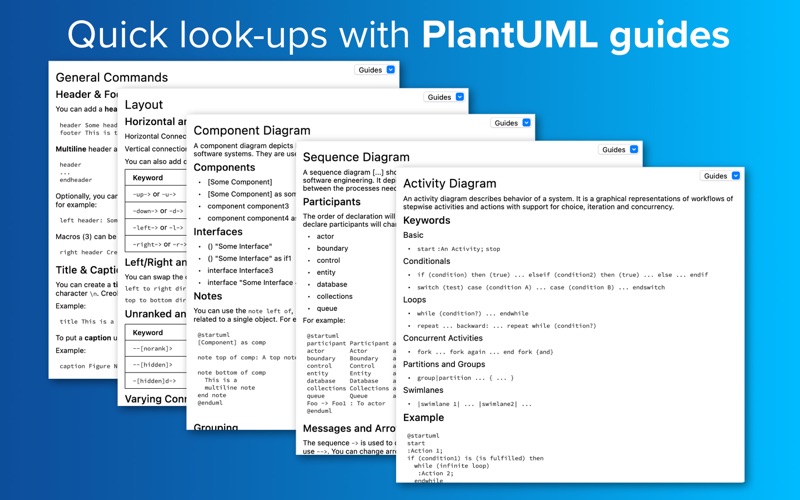
GUIDES
• Access PlantUML guides for all diagram types right next to your editor window. These guides offer quick look-ups and overviews of diagram-specific commands.
IMPORT & EXPORT
• Import diagram code from PNG and SVG images generated with PlantUML.
• Export diagrams as PNG, SVG, PDF, EPS images, ASCII, Base64, MAP, or URL.
• Copy-to-clipboard functionality for all export formats
Pladitor is customizable to your needs, offering light and dark mode, and custom PlantUML server settings. Experience diagramming made easy with Pladitor.