
LiveNotice - Check your favorite broadcasting!
Check live states of streaming channels.
yukihiro fujita
iPhone Screenshots


Description
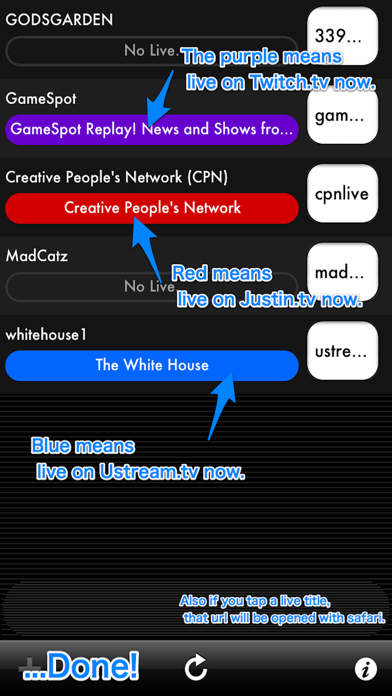
The app checks live states of streaming channels. It can retrieve broadcasting histories for supported sites.
Do you want checking live states of streaming channels yourself on your device?
This is really useful tool which can be check them!
[ How to use it ]
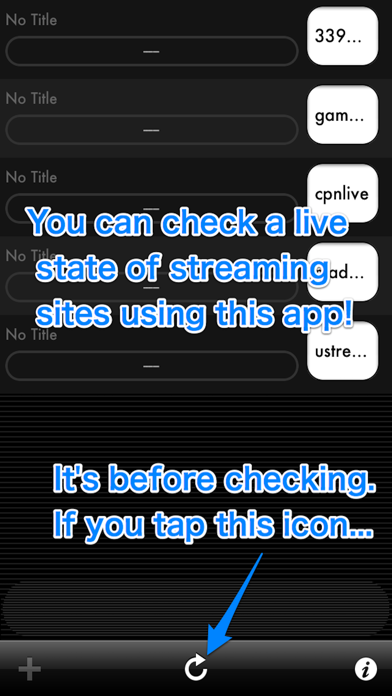
1. White a channel name which you want watching to the text field.
2. Then, tap the checking icon.
3. Asynchronously it will be get all of live states!
[ Available sites ]
You can able/unable these sites on settings.
- Twitch.tv
- Ustream.tv
- TwitCasting.tv
- live.nicovideo.jp
- ch.nicovideo.jp
- YouTube Live
[ Available to get broadcasting histories ]
- Twitch.tv
- Ustream.tv
- TwitCasting.tv
- live.nicovideo.jp
- ch.nicovideo.jp
- YouTube Live
[ Available keywords ]
- just channel name (easy and quick!)
- full path of a live channel (best performance)
- the full path without "http://www" (same as above)
[ Available URLs ]
- You can input ******* part, or the full path
- Any URL parameters need to be removed (?feature=, etc)
http://www.twitch.tv/*******
http://www.justin.tv/*******
http://www.ustream.tv/channel/*******
http://twitcasting.tv/*******
http://www.youtube.com/user/*******
http://www.youtube.com/channel/*******
http://com.nicovideo.jp/community/co*******
http://ch.nicovideo.jp/*******
[ Tips ]
- If there is empty on a text field, it will be removed when the app starts up next time
- If you want better performance, set a full path! (no need "http://")
- Broadcasting history can be shown when you touch the channel name or live name
- URL of Ustream sometimes has 2 cases.
1. ustream.tv/channel/....
2. ustream.tv/....
When you just channel name, it will choose type [1.]
If you want to check type [2.], write the full path to the text area.