
iPhone Screenshots
Description
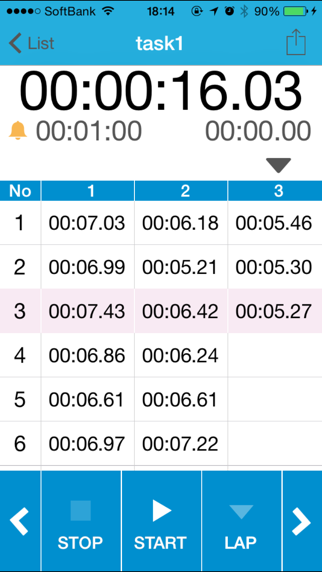
The app offers a grid view and sound alarms for lap times. Users can set alarms for each lap, with options for vibration only.
This Timer App is optimized such as the following.
- Grid view
- Sound alarm as a set time each lap time
Features
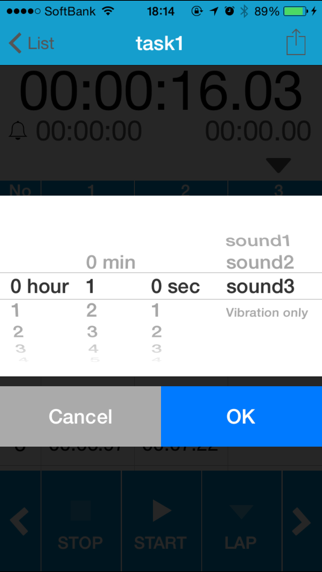
- Set a alarm each lap time(1 second, 5 second, Vibration only...)
- No limit lap count
- Simple, and flat design
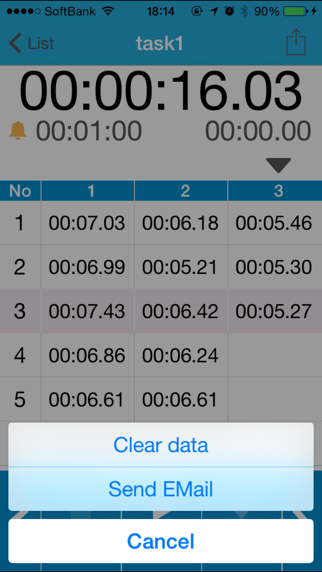
- Send timer result by e-mail
- Tap the CANCEL to delete a last lap time
How to set the alarm
1. Tap the bell icon on the timer view.
2. Tap the Done button to select the hours and minutes, alarm sound
3. State that does not have the red strikethrough Icon will hours and minutes, alarm ON.
To the alarm OFF, please tap the Cancel button after you tap the alarm icon
How to edit task name
1. Tap edit button.
2. Tap a task name.
How to display of milliseconds
1. Open the StudyLap view from the device setting.
2. Switch "ON" in the "Displays the millisecond".