
SignPDF - Quickly Annotate PDF
Sign documents and fill out forms anywhere
Tektrify, Inc
iPhone Screenshots



Description
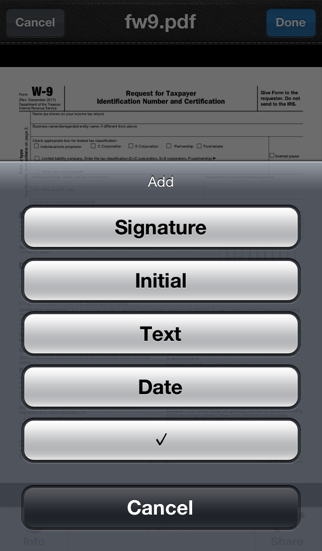
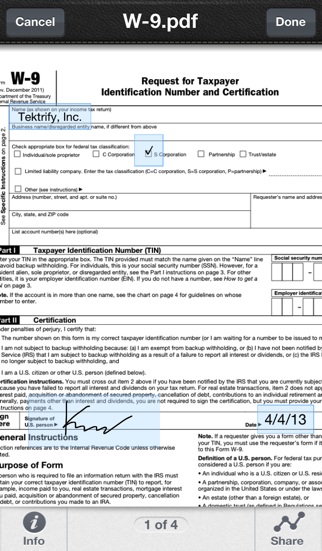
Sign documents by touching the screen to add name, initial, date, check boxes, and a realistic signature. Fill out forms directly in PDFs from email or cloud services. Share signed documents via email, print, or save to cloud storage.
Sign documents anywhere with your iPhone/iPod/iPad! No account required!
Need to sign or fill out a document? SignPDF makes it quick and easy to do both and forget about printing, scanning, or faxing. Simply:
1) Open any PDF from your iPhone, iPod or iPad’s Email, Dropbox, Google Drive, Box.Net, etc...
2) Fill out form with your name, initial, date, check boxes and sign realistically with your finger
3) Email the signed document to anyone, print it or upload to Dropbox, Google Drive, Box.Net, etc...
SignPDF is typically use to sign and fill documents including NDA’s, sales agreements, celebrity endorsements, real estate contracts, financing agreements, permission slips, marriage documents, and more...
*** Key Features:
- Sign documents with just a finger
- No need to print, sign, or fax documents again
- Easily add name, initial, date, check boxes and signature to PDF
- Your important docs stays with you on your device. We don't upload it our server!
- No sign up process or account is needed. Simply sign docs!
- Open documents from your email inbox, Dropbox, and more
- Export documents to use in other apps
- Printing - Print any document with AirPrint enabled printers
Pro Version:
- Will have 9 credits
- No Advertisement
How credits work:
- Sign and share one document will consume 1 credit, no matter how many pages long the document is.