
Replayer: Music Slow Downer
Practice music with adjustable speed.
Lukasz Adamczak
iPhone Screenshots


Description
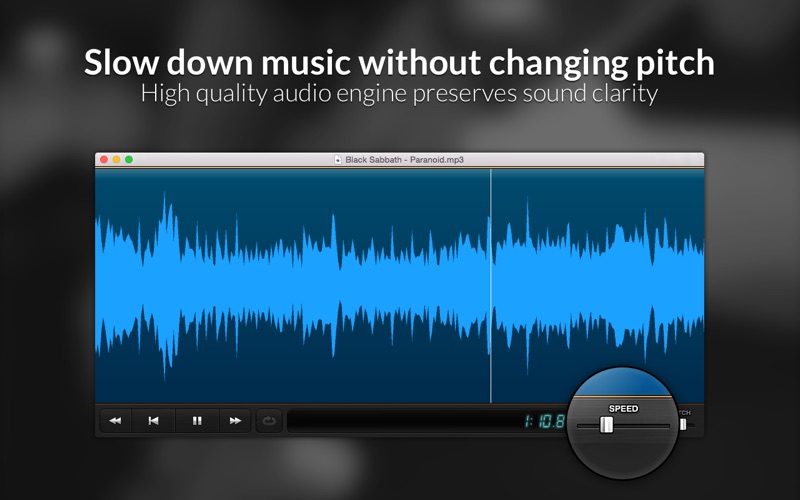
The app allows musicians to adjust audio playback speed and pitch for practice. It supports looping selected regions and zooming into audio files.
Replayer is the simplest audio player for any practicing musician
* Slow down music without changing the pitch
* Zoom in and isolate parts of the file
* Loop selected region of the song
* Adjust pitch to match your instrument's tuning
* Use simple keyboard shortcuts for effortless practice
Features:
- Adjust playback speed between 25%-175% without affecting pitch
- Adjust pitch from -2 semitones to +2 semitones
- Playback of any OS X-supported audio file
- Drag and drop of audio files onto the app window
- Drag and drop files from iTunes
- Play only a selected portion of the file
- Automatic looping of the range
- Use mouse scroll wheel to zoom in and out
- One-handed keyboard operation
Keyboard shortcuts:
space - play/pause
return - play from beginning of the range
left arrow - rewind 2 seconds
right arrow - skip forward 2 seconds
+ - increase speed by 5%
- - decrease speed by 5%
0 - reset speed to 100%
] - increase pitch by 1 semitone
[ - decrease pitch by 1 semitone
A - set current range beginning at cursor position
Z - set current range ending at cursor position
X - reset range to entire file
L - toggle looping on/off