
Eye-Friendly
Step through display resolutions casually.
Jörg Jacobsen
iPhone Screenshots


Description
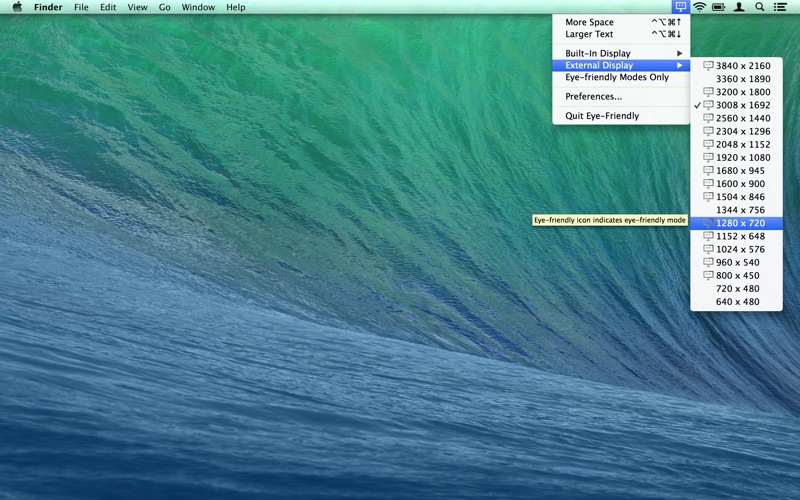
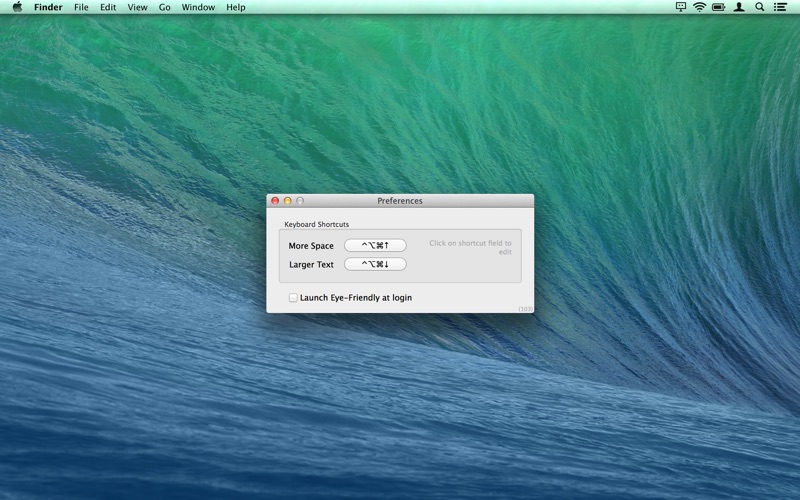
The app allows users to switch display resolutions with keyboard shortcuts. It can affect specific displays based on mouse pointer location and shows resolution descriptors during switching.
Display Resolution Switching gets casual.
– Four mice in Macworld review –
– Recommended by Marco Arment (www.marco.org/2013/02/21/eye-friendly) –
Have to get real work done? Get more screen space. Tired after work? Get larger text.
With just a keystroke. In superb sharpness*.
- Use keyboard shortcuts (configurable) to casually step through display resolutions
- Let the location of your mouse pointer decide which display to be affected
- Skip resolutions by hitting a shortcut repeatedly
- Eye-Friendly will display resolution descriptors en passant while you are stepping
- Enjoy superb sharpness (in HiDPI modes*)
- Observe HiDPI and native resolutions tagged as "eye-friendly" and optionally hide any other
Once hooked you won't want to miss Eye-Friendly.
*) HiDPI modes available only on Retina Macbooks or Macs with Quartz Debug installed.