
Capitol Bank Mobile Banking
Check balances, view activity, deposit checks, pay
Capitol Bank
iPhone Screenshots




Description
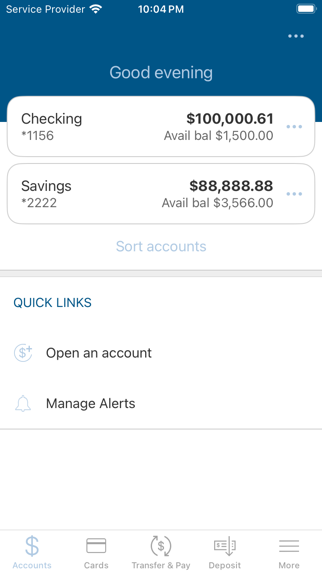
Check balances and view transaction details. Track account activity and locate nearby ATMs and branches. Deposit checks by photo, pay bills, transfer funds between accounts, and send money to contacts.
Manage your accounts anytime, anywhere from your mobile device.
Must be enrolled in Online Banking.
The App allows you to access your banking accounts using your existing Access ID and Password.
It allows you to check balances, view account activity, deposit checks, pay bills, make transfers between accounts, send and receive money to friends and family, and locate ATMs and branches.
ACCOUNT ACTIVITY
• View account balances.
• View transaction activity.
• Detailed transactions list - View the date, amount, and more for transactions.
DEPOSIT CHECKS
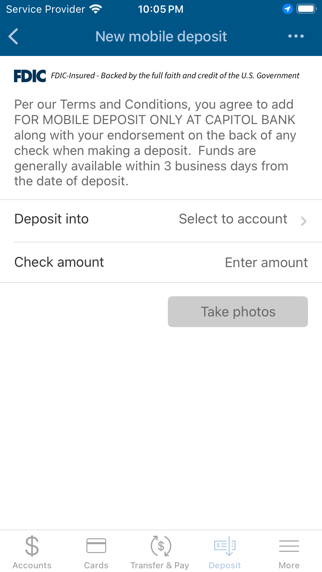
• Take a picture of your check and submit the deposit
• View deposit status and history
• Transaction limits may apply
• Deposits may not be immediately available for withdrawal.
TRANSFERS
• Make transfers between your Capitol Bank accounts.
BILL PAY
• Schedule payments and pay bills
• Select from a list of existing payees
• Send money by mobile phone number and/or email address to friends and family.
• Transfer money to your accounts at other financial institutions.
BRANCH & ATM LOCATOR
• Find Capitol Bank and nearby no fee ATM’s.
• Locate using your current location, the zip code, or address.
• Receive a list of ATMs with the address and distance from your current location.
For more details, refer to the Mobile Banking terms and conditions.
Standard message and data rates may apply from your carrier.