
iPhone Screenshots



Description
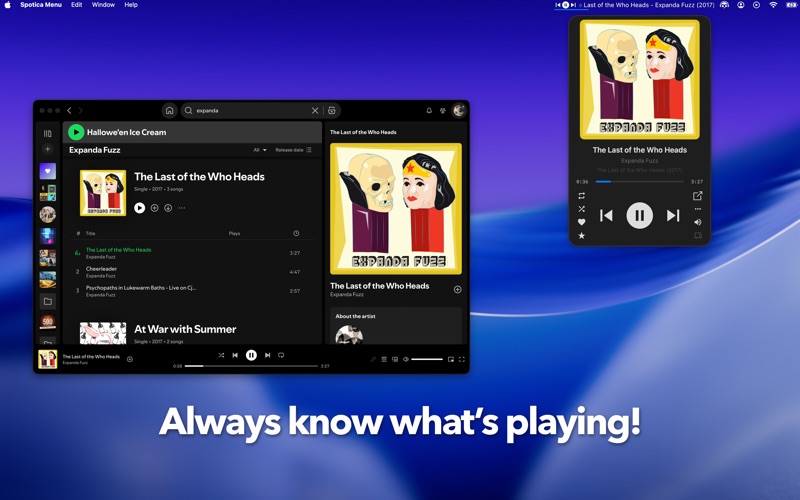
The app displays current track information and album art from Spotify or Apple Music. It provides menu bar controls, customizable mini players, and global hotkeys for music management.
Spotica Menu is a MacOS menu bar app and mini player that shows the currently playing track, album, and album cover from Spotify or Apple Music.*
It puts common music controls (play, next, previous, and more) right in your menu bar, along with a choice of mini players and global hotkeys. A large number of custom configuration options are available including the colours, layout and global hotkey actions.
*Some features are only available on Spotify
Menu bar
● Show the current track information including song name, artist, and year
● Show the album cover and playback position
● Drag and drop to arrange menu bar items exactly how you want
● Customize colours, fonts, glyphs, and progress bar styles
● Bold and italic text formatting
● Save your colours as custom themes
● Choose what appears when nothing is playing
Mini players
● Five styles to choose from, including the new Llama retro skin and a Liquid Glass skin for a modern translucent look
● Bring your music player to the front by clicking the album cover
● Album and artist artwork and information
Controls and shortcuts
● Control Spotify and Apple Music directly from the menu bar
● Global hotkeys for almost any action
● Follow or add the current track or artist
● Play and add to playlists
● Add the current song to a playlist with a hotkey
● Set the album or artist image as your desktop wallpaper
● Keep the player on top of other windows
● Show a notification when the song changes
Last.fm support!
● Scrobble your listening and love tracks straight from the player
macOS 14.0 or later required
Visit http://spoti.ca/ for more details, or email [email protected] to send us comments.