
iPhone Screenshots



Description
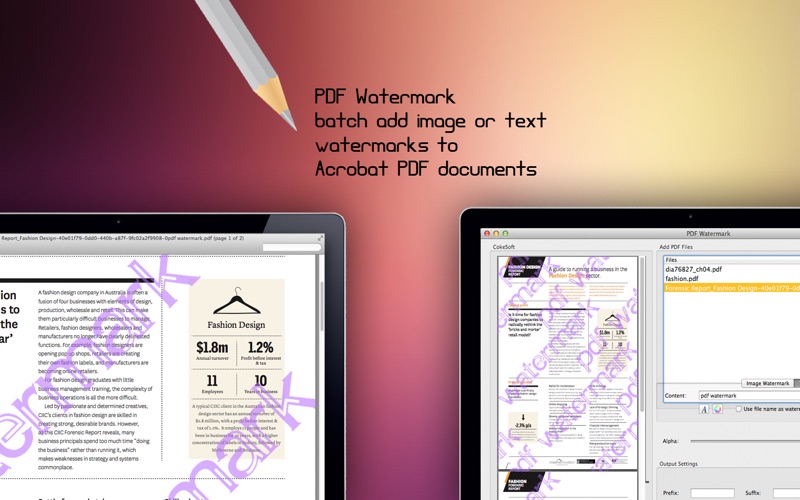
Add watermarks to PDF files using images or text. Batch process multiple documents. Include file names, logos, signatures, or URLs. Apply date and time stamps. Protect PDFs with visible watermarks.
PDF Watermark — Add Watermarks to PDFs in Seconds
PDF Watermark is a fast, simple, and powerful Mac utility for batch-adding text or image watermarks to PDF documents. Use your file names, company logos, signatures, product images, and more to create the perfect watermark for any purpose.
Why Choose PDF Watermark?
Protect Your Copyright — Add visible watermarks to safeguard your documents from unauthorized use and redistribution.
Brand Your Documents — Reinforce your identity by stamping your company logo, name, or website address onto every page.
Add Stamps to PDFs — Insert useful stamps such as dates, times, page numbers, author names, or file names anywhere on your PDF pages.
Label Document Status — Keep your workflow clear by marking documents as Draft, Approved, Final, Confidential, and more.
Two Types of Watermarks
Text Watermarks — Add fully customizable text with any content you need.
Image Watermarks — Use image-based watermarks in a wide range of formats.
Powerful Watermark Settings
Text and image watermarks supported
Image formats include JPEG, GIF, TIF, TIFF, PCX, PNG, TGA, ICO, BMP, and JP2
Adjustable opacity for both text and image watermarks
Transparent color support for image watermarks
Standard and TrueType fonts with customizable size, color, and style
TrueType fonts can be embedded or used externally
Save Time
Process multiple PDF files in a single pass with batch watermarking — apply predefined or custom watermarks to entire folders in seconds.
Save Money
PDF Watermark is a standalone app priced at just $9.99. No Adobe Acrobat Pro required, no expensive subscriptions — just a one-time purchase that does the job.
Bug Fixes & Feature Requests
Found an issue or have a feature in mind? Contact us at [email protected]. We respond quickly and are always working to improve the app.