
iPhone Screenshots


Description
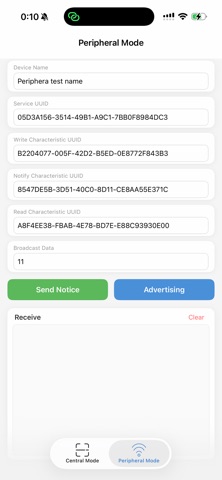
Scan and connect Low devices. Input CBUUID to establish connections. Send data to connected devices and print returned responses. Retrieve battery level and RSSI information. Operate in central or peripheral mode for testing and simulation.
Bluetooth Low Energy BLE debug tool
1.scan and connect bluetooth LE device
2.input CBUUID connect the device
3.after connect you can send data to the BLE device
4.print the return data from BLE device
5.get battery and RSSI
is a good tool for test you BLE device
bluetooth BLE device tool
central mode lets you connect to peripherals around you
Peripheral mode lets you simulate your peripheral hardware