
Symmetry
Create symmetrical designs easily and quickly.
Masahiro Ueno
iPhone Screenshots
Description
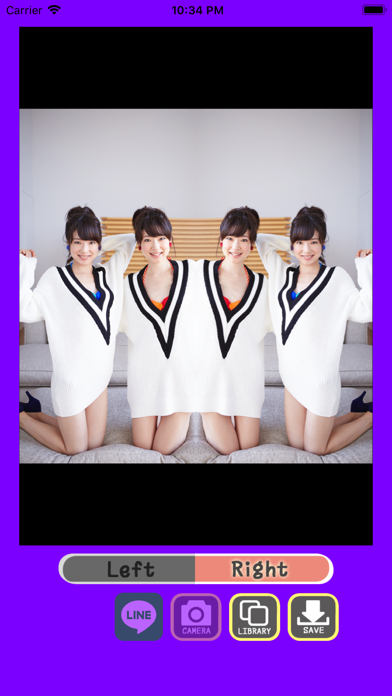
The app allows users to create symmetrical designs by photographing or selecting an image. Users can then determine the split point and select the desired field for display, saving their creations to their library or posting them.
Symmetry, to be symmetrical….
An object or design that is symmetrical has two halves that are exactly the same shape and size.
This application will enable you to create such “symmetrical” design easily!
[How to Design]
First you should photograph or select the image you want to edit.
When the image is shown on the touchscreen, slide it with your finger to determine where to split.
Using the left/right button, you can select the field you want shown, so plan according to your favorite proportion.
You can save your created image to your library, and you can of course post it to your LINE!
Portraits, animals, landscape…
You can experience the infinite variety of creation.
Enjoy the creative world of “symmetry” with this brand new application!