
WiFi Signal: Strength Analyzer
Monitor Wi-Fi signal and network status
Intuitibits LLC
iPhone Screenshots
Description
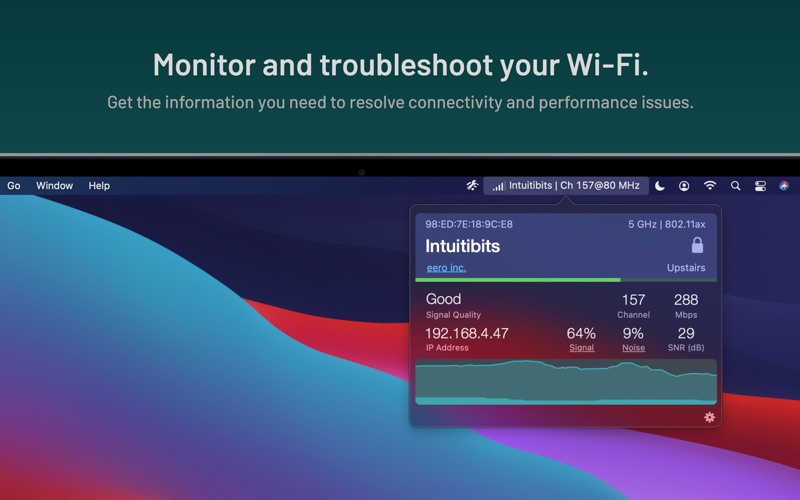
Monitor Wi-Fi signal and network status in real time. View 2.4, 5, and 6 GHz band details. Customize menu bar display with multi-line status icons. Add annotations to identify access points. Detach popover window for additional information.
WiFi Signal offers quick access to your Wi-Fi connection details while actively monitoring network status and signal quality.
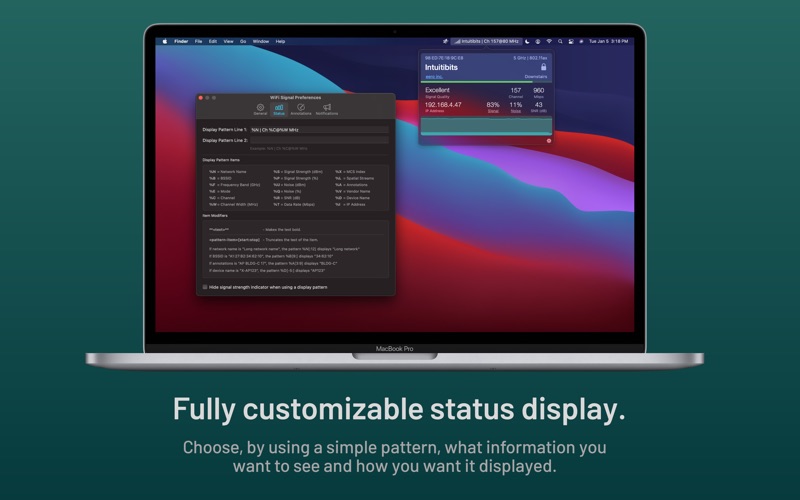
Customize WiFi Signal's menu bar display to show exactly the information you need, arranged in the format and order you prefer.
FEATURES
• Simple, straightforward user interface
• 2.4, 5, and 6 GHz band support
• Fully customizable, multi-line status icon display options
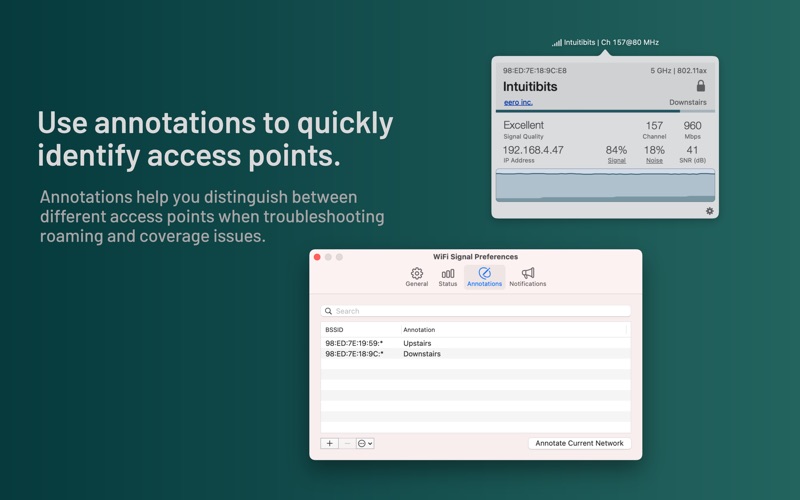
• Annotations to quickly identify different access points
• Detachable popover window
• Accurate dBm to percentage (%) conversion
• Real-time graphs for signal strength and noise level, Signal-to-Noise Ratio (SNR), transmit rate, or MCS index (if supported)
• Signal quality ratings based on SNR measurements
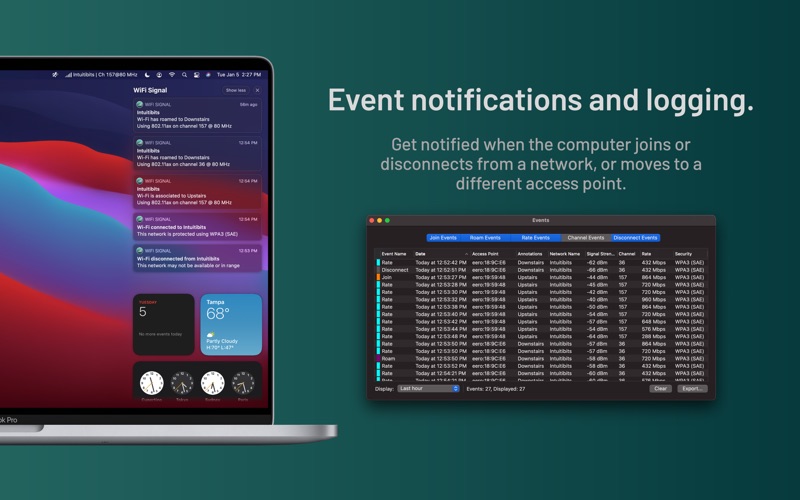
• Notifications and logging of changes in your Wi-Fi network connection, such as when the computer joins or disconnects from a network, moves to a different access point, or when data rate or channel configuration changes are detected
• Light and dark mode support
Requires a Mac with built-in Wi-Fi. External Wi-Fi adapters are not supported.
For a more comprehensive analysis of the Wi-Fi environment, consider WiFi Explorer, also available in the Mac App Store.