
iPhone Screenshots



Description
Create bitmap fonts with customizable materials and textures. Select system fonts or import font files. Generate font atlases for multiple resolutions. Replace missing characters with custom glyphs.
bmGlyph - bitmap font generator.
bmGlyph is a tool which allow you to create nice bitmap fonts and use it in your game or application. (a bitmap font generator with a font atlas). Multiple resolution export with the same project, and support most of all frameworks including SpriteKit.
Main Features:
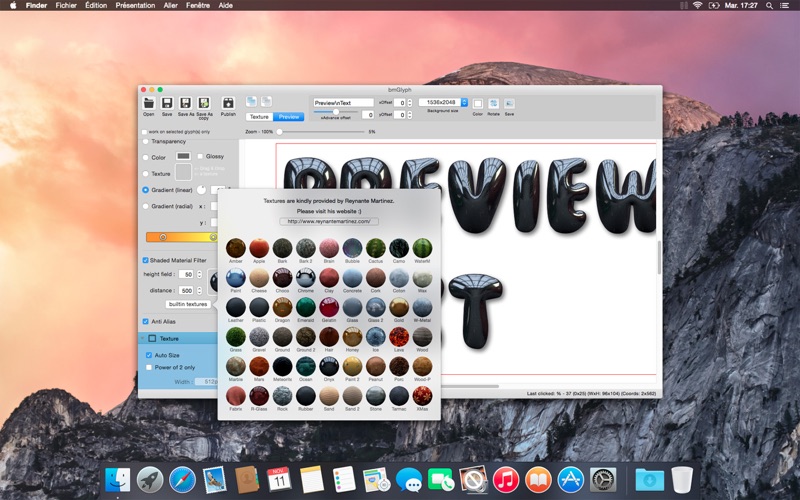
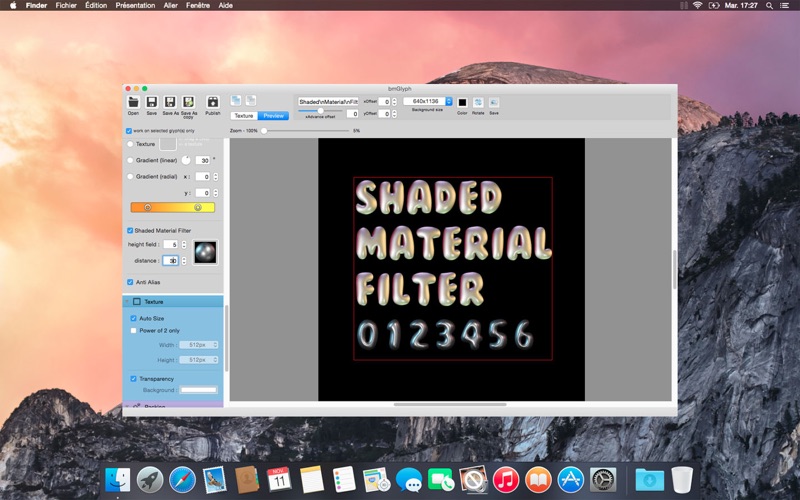
- Shaded material, color, glossy, gradient, or even import your own texture.
- Builtin textures
- Select fonts from your system or import any font file.
- Font replacement for the missing characters
- Cast Shadow with custom color and opacity. Inner or Outer shadow.
- Stroke with desired color / gradient and width. Inner, Outer or Center stroke. Miter/Round/Bevel style.
- Miter adjustment
- Work on selected glyphs only allows you to change the color or texture of each glyph.
- Preview mode: see how it render on different screens, or import (drag&drop) your own background.
- Customizable publish settings: add as much as targets as you want (ipadhd, ipad, iphone retina ...), customize all the parameters (suffixes, scale etc...)
- AutoSize: finds the best texture size automatically.
- Export the preview text as a PNG file.
- Kerning support
- Hundreds of charset presets
- Bounding box adjustment & preview
- Fixed width
- Align on grid, and same bounding box height
- Configuration wizard
- SpriteBuilder support
- zoom in texture and preview mode
- iPhone 6 resolution support
Once published, the bitmap and the atlas font file can be used with the most famous game framework: spritekit, cocos2d, corona, sparrow, unity/ezgui... (bmfont format, xml)
Stop wasting your time designing yourself your text or creating multilangages version of the same button: start using bmGlyph !