
iPhone Screenshots



Description
Manage across iCloud, Google, Microsoft, Facebook, and CardDAV accounts. Sync efficiently and use extensions to organize and share contact information. Edit, add, or delete and merge duplicates.
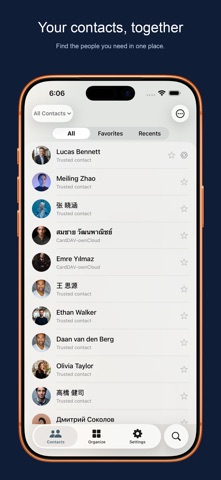
Your contacts should be where you need them. Cloud Contacts brings scattered address books together on iPhone, iPad and Mac, and helps you save selected contacts to Apple Contacts or another supported provider.
SAVE TO APPLE CONTACTS
Have contacts in Google, Outlook or a custom server that are missing from your device's Contacts app?
1. Connect your contact account.
2. Open Sync Contacts, choose your source, and select Apple Contacts as the destination.
3. Review the proposed changes, then confirm the sync.
This creates or updates editable system contacts, available to apps with Contacts permission. Connecting a provider alone does not save its contacts to Apple Contacts. Saving requires permission and uses your device's default Contacts account, which may be iCloud depending on your settings.
SYNC BETWEEN CONTACT ACCOUNTS
• Connect Google, Microsoft, iCloud, and compatible CardDAV or JMAP services.
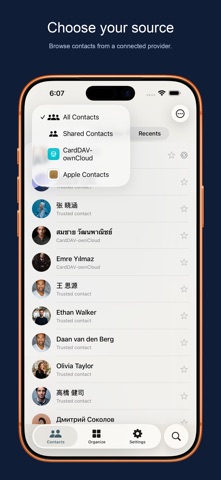
• Choose source providers, groups or individual contacts, then one writable destination.
• Review additions, updates and any proposed removals before confirming. Removal is off by default.
• Each reviewed transfer is one-way, not continuous two-way mirroring. Provider support and writable fields vary; cloud write-back requires Sync PRO.
Moving from Android to iPhone? Bring contacts from your Google account into Apple Contacts. Changing providers? Transfer selected contacts to a supported destination without moving your entire address book.
CLEAN UP AND BACK UP
• Find duplicate contacts, compare details and review merges, including in large libraries.
• Fix repeated details and incomplete cards.
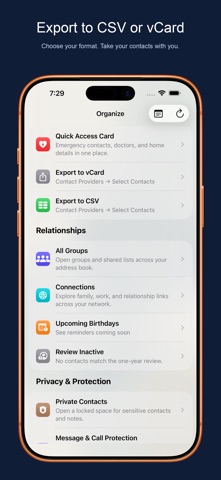
• Back up and restore contacts, or export vCard files. Automatic cloud backup requires an eligible subscription and can be disabled.
EVERYDAY TOOLS, YOUR CONTROL
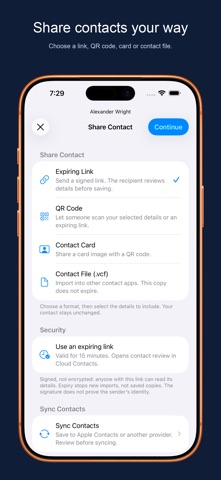
• Edit contact details, organize groups and share contact cards or QR codes.
• Set birthday and important-date reminders. Optional relationship notes and follow-up tools are available when you need them.
• Use App Lock and private-contact tools to protect sensitive information.
FEATURE ACCESS & SUBSCRIPTIONS
Availability depends on your plan, provider, permissions and device. Some tools require a one-time purchase or subscription; check the in-app plan details before purchasing.
• Cloud Contacts offers auto-renewable subscriptions for Sync PRO features.
• Payment is charged to your Apple ID account when you confirm the purchase.
• Subscriptions renew automatically unless auto-renew is turned off at least 24 hours before the current period ends.
• Your account is charged for renewal within 24 hours before the current period ends.
• Manage or turn off auto-renew in your Apple ID Account Settings after purchase.
Terms of Use (EULA): https://www.apple.com/legal/internet-services/itunes/dev/stdeula/
Privacy Policy: https://cloudcontacts.app/privacy
Terms of Service: https://cloudcontacts.app/terms