iPhone Screenshots
Description
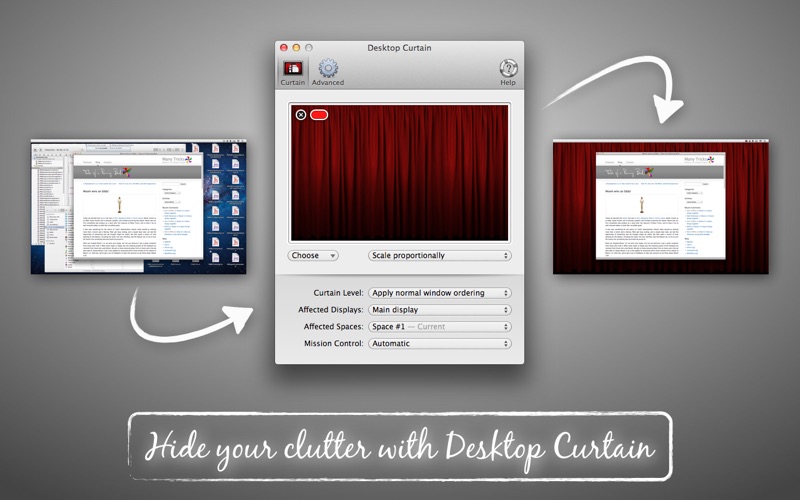
Hide clutter with customizable background images. Drag files or use file dialog to set images. Take screenshots with clean, distraction-free backgrounds. Organize workspace and maintain focus during tasks.
Desktop Curtain is a simple tool to hide the clutter on your desktop, and help you focus on the task at hand. It's perfect for teachers, presenters, writers, developers, and anyone else that hates clutter and/or needs to take screenshots with clean background images.
Why waste time moving files and folders on and off of your desktop when Desktop Curtain can make things look spotless in a jiffy?
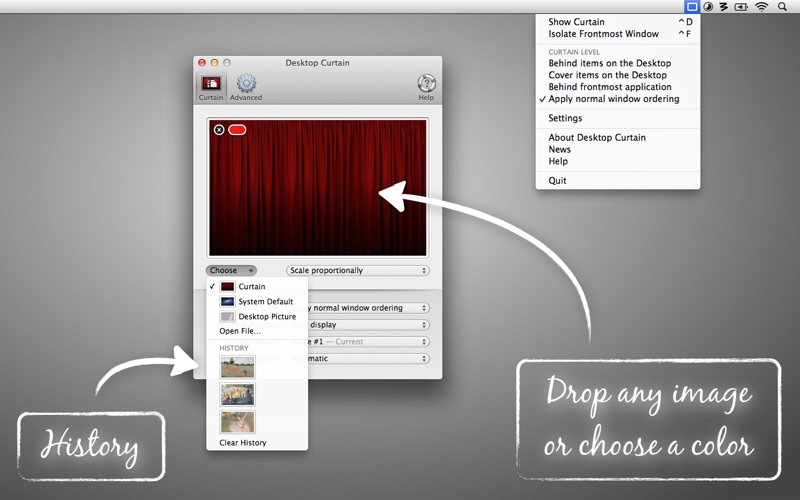
Desktop Curtain lets you set images via drag-and-drop or the standard file dialog, and it will remember your 10 most-recently-used images.
You can also control at what "level" the image floats (and hence, how much stuff it covers), and whether it affects all monitors or just one.
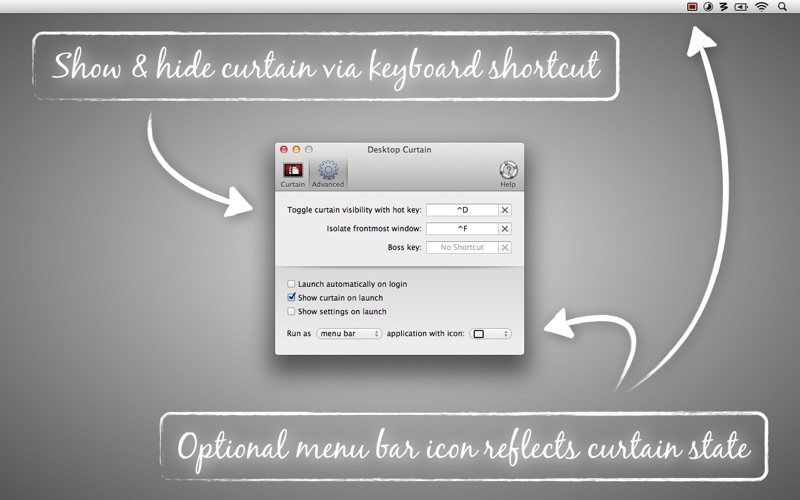
You can use Desktop Curtain to focus only on the frontmost application, too — or even the frontmost window, to really narrow your focus.
Desktop Curtain also runs in three modes, including a fully-invisible mode perfect for those who take screenshots.oh