
iPhone Screenshots




Description
View meter data in a tabular format with options to select data types and time intervals. Configure settings to customize data display and update intervals. Export data and sync with other devices for monitoring and analysis.
NE App - iPhone Application For Reading NE Meter Data
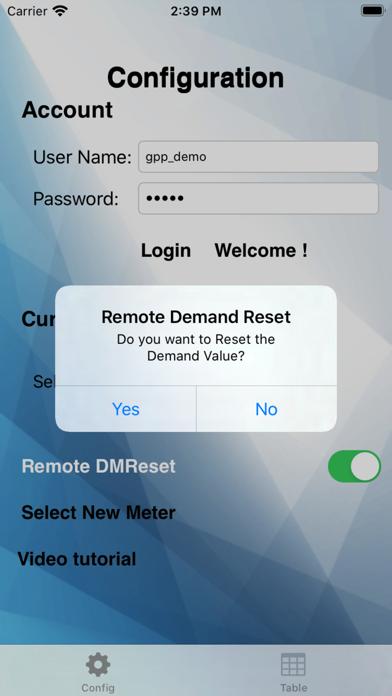
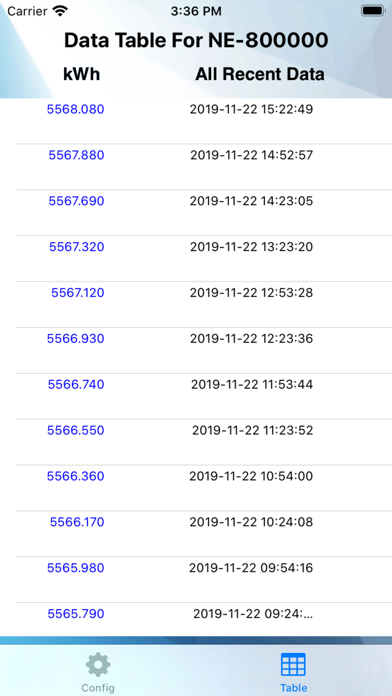
The NE App is divided into two sections separated by tabs: Table View, and Configuration.
Table View:
The Table View allows the user to view meter data in a tabular format. The left button at the top of the table is for selecting the data type and the right button is for selecting the time interval. The data types and time intervals (including Custom) operate the same way as for the Graph View.
Configuration:
The Configuration section allows the user to log in, choose a meter, and set or change the rate for that meter. User names and meters associated to the manager's account must be previously set up by Global Power Products. To log in, simply type the user name and password into the specified fields and press the Update button.