
AEI Keyboard Note Dutch
Type with one hand, two thumbs
Toshihiro Nakane
iPhone Screenshots
Description
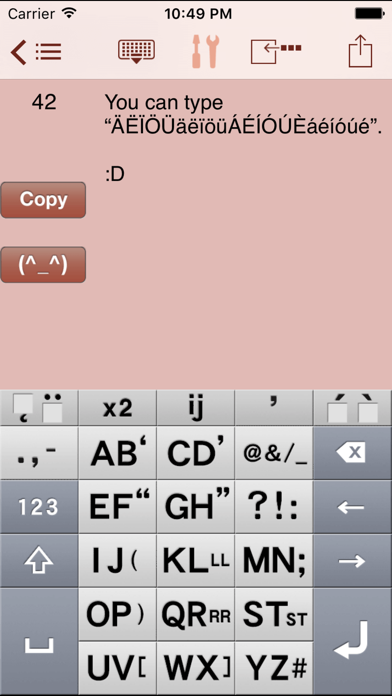
Type messages faster with one-hand input using a simplified layout. Input vowels with a single press and consonants with up to two presses. Use arrow keys for quick text editing.
You can type messages easier and faster with one-hand wherever you are!
What is Good about AEI Keyboard
- Only One Push to input Vowel (letter).
- Less than Two Push to input Alphabet. (any letter)
- Input faster with Two Thumbs.
****************************
*This Keyboard works ONLY in this App.
Special Features
* Arrow keys to move caret right and left faster for easier text editing
* You can open "twitter" site from Copy Button
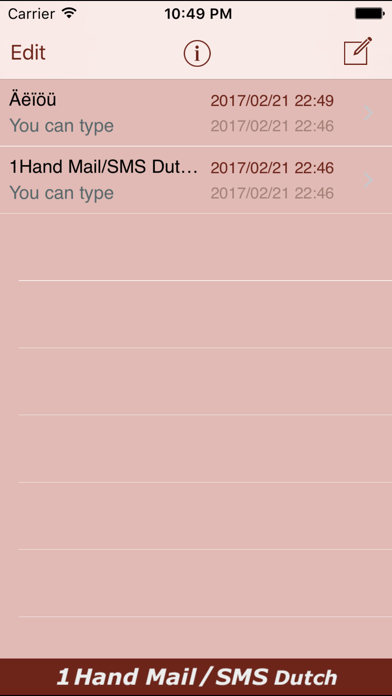
* Save messages with destination number in "list" as fixed phrases
* Your current location info can be copied with a single touch
* You can select destination number from "Contacts"
* Friendly alphabetical character array with 13 multi-input keys with just 2 characters each to type faster and easier
* Ideal key size that reduce probability of typographic errors
* Adjustable character counter
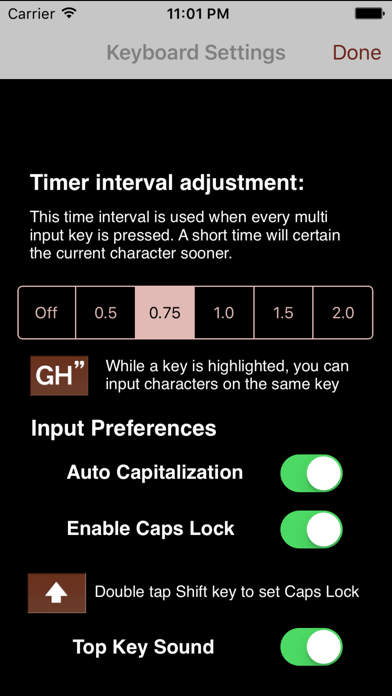
Useful keyboard Settings (touch the "tools" icon for setting):
> Auto determination of character typed with multi-input key
example: (interval set "1.0"sec)
1. tap "OP)" key once (the key is highlighted)
2. the character "O" will be determined in 1.0 second automatically and key-highlight goes off
3. you can input characters assigned in the same key right away
*You can turn off auto-determination function, and the interval is adjustable at the "tools" menu.
Useful buttons equipped:
> Clear" button to erase immediately
> "Hide" button to hide the keyboard for view of longer messages
> "I'm here!" button to insert your current location info
> "(^_^)" button to select major face marks
> "Copy" button to copy the message to clipboard for use in other apps
Please check our website
www.4us.jp
Thank you!