iPhone Screenshots
Description
The app filters noise from a football horn using digital techniques. It forwards other sounds to headphones, allowing users to fine-tune the filter with extended controls.
This handy app will remove most of the noise from a football horn (or "Vuvuzela") while you're watching sports on TV.
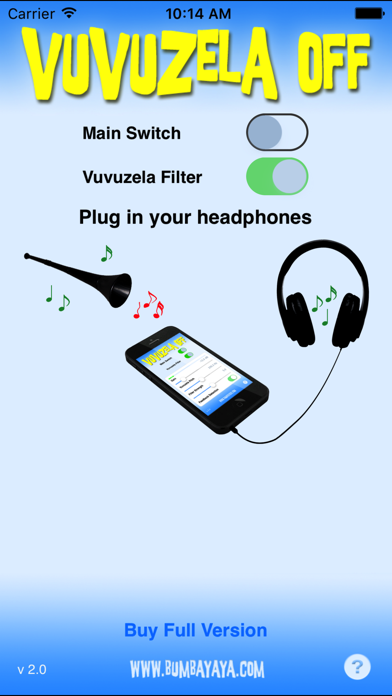
Simply connect a pair of headphones to your iPhone (or iPad), start Vuvuzela Off and switch on the filter. Then, point the microphone of your iPhone toward your TV.
Vuvuzela Off will filter most of the noise, and will forward everything else to your headphones. Vuvuzela Off uses digital filtering techniques which are much more effective than "anti-noise" phase inverting approaches.
Works best with ordinary, or closed headphones without integrated microphone. Or, if you have the right cables, you can directly connect the TV set to the audio input of the iPhone and "loop" the sound directly through the device.
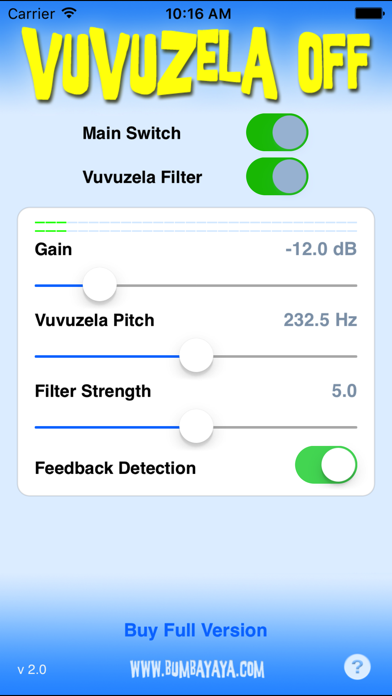
Includes extended controls for gain, pitch and filter strength so you can fine-tune the filter depending on your preferences. Also includes feedback loop detection with automatic gain reduction.
Vuvuzela Off will run for one minute to let you test the filter effect. You can then upgrade to the full version with one easy in-app purchase and enjoy unlimited filtering immediately.