
Magnifying Glass +++ Magnifier
Zoom in and touch to magnify
Jeff Hanel
iPhone Screenshots


Description
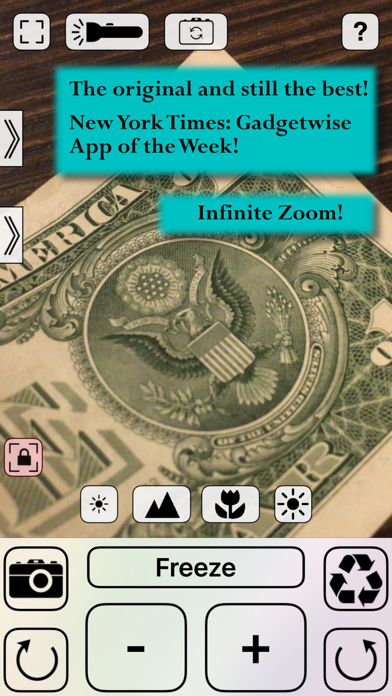
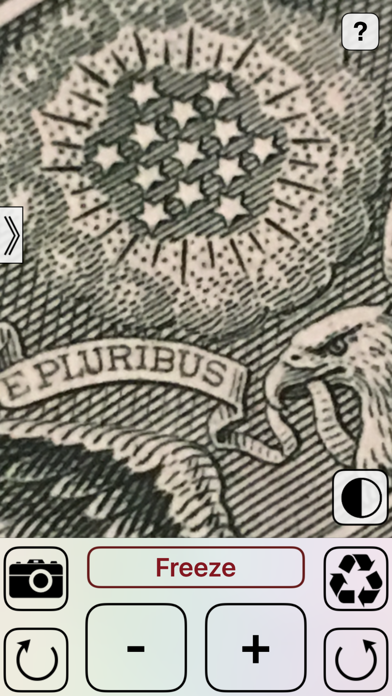
Allows users to zoom in on text or objects using the camera. Adjust magnification with a plus button. Reset zoom with an instant button. Take photos of the magnified view.
The original and still the best.
*****************************************************
The New York Times – Gadgetwise: App of the Week
“Of the several magnification apps I tried, my favorite is Magnifying Glass from I-Beam. The iPhone app is simplicity itself. Turn it on, point the camera at the fine print, and touch the plus button until it is enlarged enough to read. Two other built-in features I like: the button that instantly resets the image to low magnification, and the camera button, which lets you take a photo of your close-up.”
— Roy Furchgott, The New York Times
*****************************************************
Magnifying Glass helps you see more clearly on your iPhone and iPad.
Whether you’re reading small text, examining fine details, or viewing objects up close, Magnifying Glass provides powerful visual tools that are easy to use and fully under your control.
With infinite zoom, the ability to freeze, rotate, filter, and enhance the live view, and manual control over focus and exposure, you can adjust the image exactly how you need it. A built-in flashlight with adjustable brightness helps illuminate hard-to-see areas, making it easier to read and inspect in low-light situations.
Magnifying Glass also works as a fully functional zoom camera, making it useful at home, at work, or on the go.
Try it today and see why it was named App of the Week by The New York Times.
Features:
- Infinite digital zoom to make small text easier to read
- Fully functional zoomable camera
- Freeze the view to inspect images without motion
- Built-in flashlight with adjustable brightness
- Multiple image filters, including a special high-contrast mode
- High-contrast enhancement to reveal details in low light
- Stabilization mode for crisp, sharp images
- Manual focus and exposure controls
- Support for front and rear cameras
- Multiple interface themes to personalize your experience