
SimpleMind - Mind Mapping
Map thoughts, organize ideas, create visuals
xpt Software & Consulting B.V.
iPhone Screenshots





Description
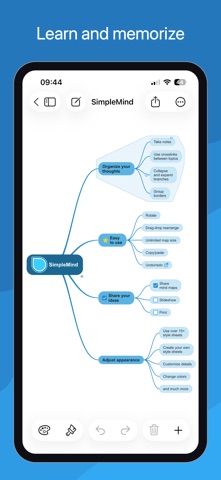
Create maps to organize thoughts, remember information, and generate ideas. Add notes, links, and images to nodes. Customize themes and export maps as PDF or image files. Sync across devices and access without requiring an account or ads.
Mind mapping helps you organize your thoughts, remember information and generate new ideas. We've created a beautiful, intuitive app, so you can mind map wherever you are and whenever you want.
Free Functionality
• Everything you need to get started with mind mapping.
• No ads.
• No data collection.
• No need to sign up for an account.
• Upgrade to full functionality is a one-time single purchase.
Highlights
• Easy to use.
• Continuously fine-tuned based on customer feedback.
• Trustworthy and reliable: 15+ years of updates and improvements.
• Used in a wide range of applications: business, education, legal and medical.
• Tools to help you maintain overview.
Create
○ place topics anywhere you want in the free-form layout
○ or use auto layout - great for brainstorming
○ reorganize and restructure using drag, rotate, re-arrange or reconnect
○ use checkboxes, progress bars, auto-numbering
○ connect any two topics with a crosslink
○ label relations
○ virtually unlimited page size and number of elements
○ supports multiple Mind Maps on one page
Add media and documents
○ images and photos
○ notes
○ icons (stock, emojis or custom)
○ link to a topic, mind map, contact, file or webpage
○ voice memos
○ videos
Seamless synchronization using clouds
○ sync mind maps with your iPads and iPhones
○ sync mind maps across platforms. For example with Mac - as a separate purchase
○ sync using iCloud, Dropbox, OneDrive, 坚果云 - Nutstore and Nextcloud
Share your Mind Map
○ for example as PDF or Image
○ outline, can be imported in word processors
○ create a slideshow to present your Mind Map (Tablet only)
○ print
○ export to Reminders or Calendar
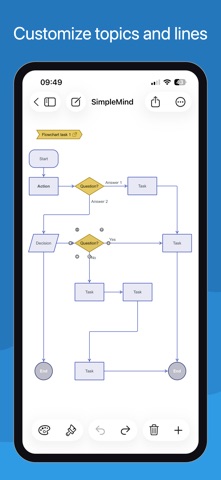
Style your mind map
○ change the appearance by selecting one of the 15+ style sheets
○ create your own style sheets
○ style every detail, exactly how you want it
○ change borders, lines, colors, background color, the checkbox color, and much more
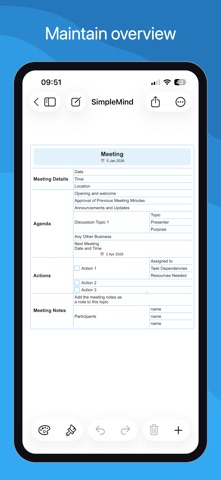
Maintain overview
○ collapse and expand branches
○ hide or show branches or topics
○ block out distractions with autofocus
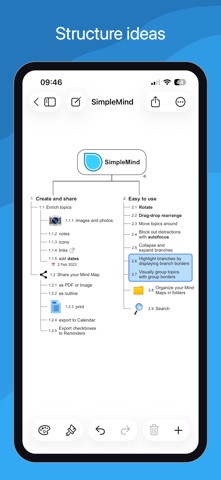
○ highlight branches by displaying branch borders
○ visually group topics with group borders
○ organize your Mind Maps in folders
○ outline view
○ search