
iPhone Screenshots
Description
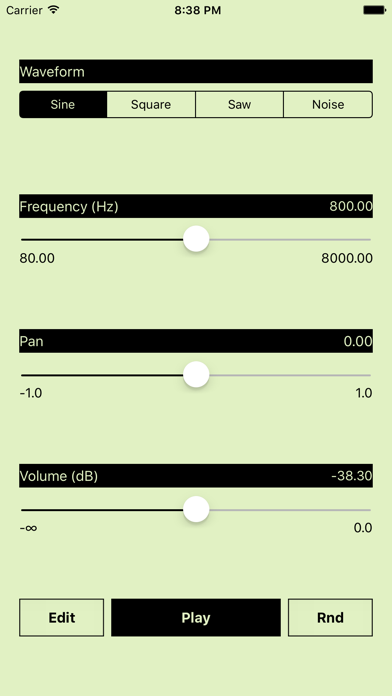
Udio tones with four waveforms: sine, square, saw, and white noise. Adjust frequency using a slider or numeric input. Control amplitude with a dB-style slider. Pan sound left or right with a slider. Toggle sound output on or off.
Oscillator is a simple and rough audio generator application which has the following functions. You can use it as a test tone and play it as a strange musical instrument.
- Four waveforms. (i.e. sine wave, square wave, saw wave and white noise.)
- Exponential Frequency control using the slider.
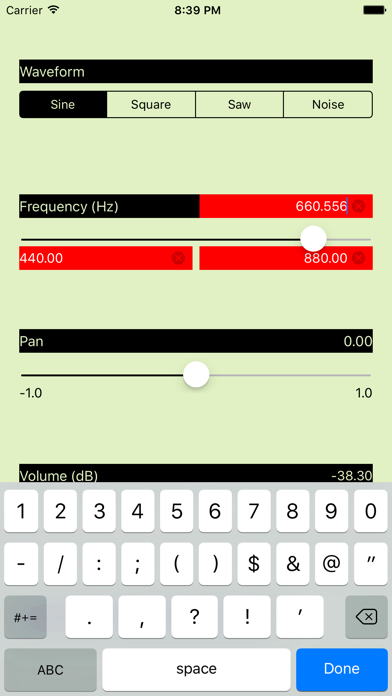
- Frequency numeric input using the software keyboard.
- Equal distance panning control using the slider.
- dB style amplitude control using the slider.
- Sound output on/off button.
- All sliders and buttons are multi-touch controlled.
Please note the limitations below before you purchase/use this application.
- The frequency control is not effective with the white noise oscillator.
- The panning control is not effective with an iPhone internal speaker because it is monophonic. Use headphones or stereo speakers.
- The audio output might be interrupted on a keyboard input, a view change and so on.
- The accuracy of the audio output is not very high but it is reasonable.