
iPhone Screenshots




Description
# Features
- Batch Rename – Rename images using customizable variables like sequence numbers, creation dates, and image dimensions.
- Batch Resize – Resize images to specific dimensions in one click.
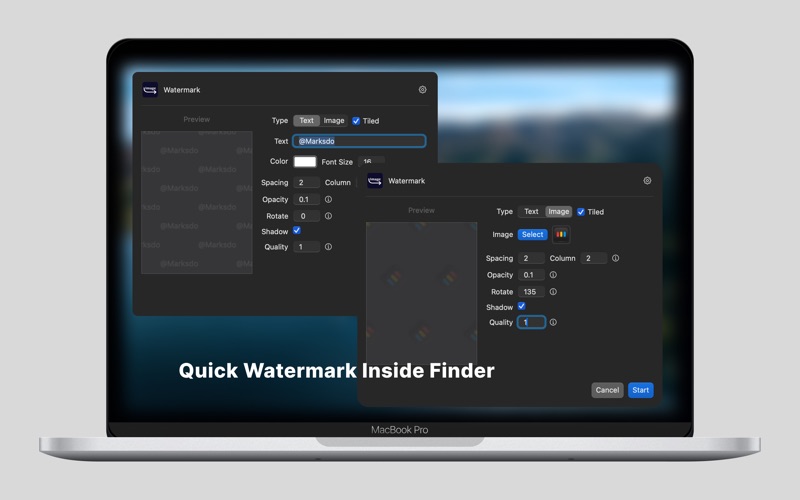
- Batch Watermark – Add watermarks to multiple images effortlessly.
- Convert to WebP – Quickly convert images to .webp format.
- Convert to AVIF – Easily convert images to .avif format.
- Quick Copy & Paste – Copy an image (not just the file name) to the clipboard for seamless pasting.
- Convert to Base64 – Generate Base64 strings for use in HTML img tags.
- AI Super-Resolution – Enhance image quality before compressing to .webp or .avif.
# Privacy First
All processing is done locally on your Mac. No internet upload required, your images stay private.
# How It Works
1. Select image(s) in Finder.
2. Right-click → Quick Actions.
3. Done!