Remote for Android Smart TV
Control TVs remotely with your iPhone
Anh Nguyen Ba
iPhone Screenshots


Description
Control TVs remotely via local network connection. Adjust volume, channel, and media playback. Navigate using a virtual touchpad. Access two keyboard types for text input. Scan and connect to TVs on the same network.
Remote for Android Smart TV allows you to connect almost TVs running on Android and control them, you don't need a physic remote anymore.
You just connect your iPhone/iPad the same network with your TVs and you are ready to use the app.
FEATURE:
- Basic control for every TV: volume, chanel, media, navigation,...
- Navigation using virtual touch pad. Support 2 types of keyboard: Text & Number which can fast switch, help you enter text for website or keywords.
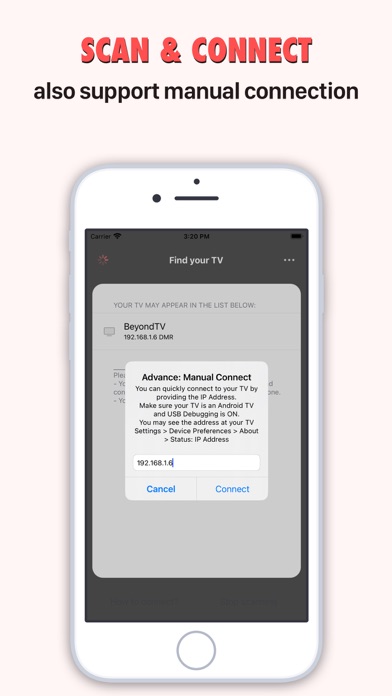
- Scan TVs on local network and connect automatically, but it also supports quick manual connection without scanning.
- Simple and smooth user interface that support vibration on the button, make it feel more comfortable for your hand.
- Notice: Your Android TV must be enabled ADB (via USB Debugging), please read the instruction within the app when you connect a TV.
- Disclaimer: This app is not official app which related to Android or any TV brands which may mentioned in your app, it follows the feature of Android which based on ADB debugging that may decrease the TV security. You should use this app for personal use or at home only, we do not recommend you applying it on public TVs at restaurants, companies or other organization.
- Read or Terms and Privacy Policy at: https://tvremote-android.weebly.com/terms.html && https://tvremote-android.weebly.com/privacy-policy.html