
iPhone Screenshots



Description
Keda Rent app brings communities together, helps people create another income stream from renting out items they already own, and helps renters get access to items they need.
EMPOWERING THE EVERYDAY ENTREPRENEUR
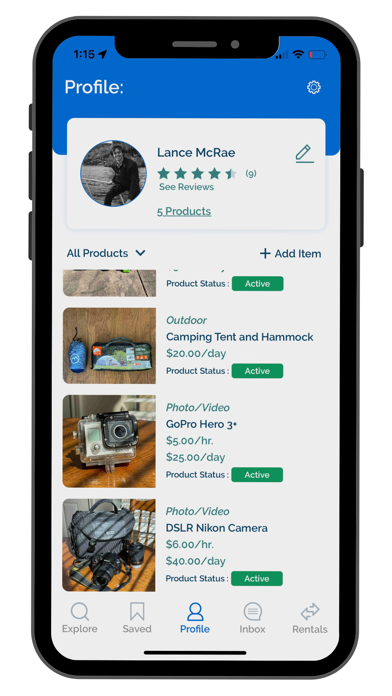
At Keda Rent, we’re working hard to make sure we empower the everyday entrepreneur through rental opportunities. Whether you have that DSLR camera
sitting around or that surfing board, you can rent out virtually any type of equipment, tool, fashion piece, electronics, the list goes on!
FIND THE RENTALS YOU NEED
Choose from tons of available items to rent near you. Avoid the large costs of buying items you’ll only need once or twice. Use Keda Rent to search in your area for the item you need to rent! It’s as simple as opening the app, sharing your location, and we will take care of the rest. Browser through listings of items that you’re looking to rent and send a rental request. It’s that easy!
CONNECT WITH LOCAL LESSORS
No matter where you are, you can feel like you’re supporting your local Lessors. The Keda Rent app allows Rentee’s and Lessor’s to engage in rental activities, receive information about their rentals, and engage in a safe and secure transaction.
USING KEDA APP IS EASY AND SIMPLE
Step 1. Browse
Start by using the Explore page to find items that you are interested in renting. You can also save favorites to the Saved tab.
Step 2. Request
Once you have found what you’re looking for, read past reviews, check availability, and contact the host to confirm pick up and item questions. When ready, begin requesting item(s).
Step 3. Rent
You have successfully requested the item, and the host has accepted your request! At rental time and date, pick up or receive the item you are renting from the host. Coordinate with the Lessor about when and where to meet for the returned schedule time. Please make sure to take pictures of the item, and ensure proper conditions before accepting the rental. Once approved, you now are all set for your rental!
Step 4. Return
You have now used the item for the requested time, and it’s time to return! Meet with the Lessor again to return the item. Please make sure to take pictures of the item, and ensure proper conditions are met before accepting the return. Once approved, the rental is now done! Start again at Step 1 for your next rental using Keda!