
Bath State Bank
Manage accounts, view balances, transfer funds, pay
Bath State Bank
iPhone Screenshots


Description
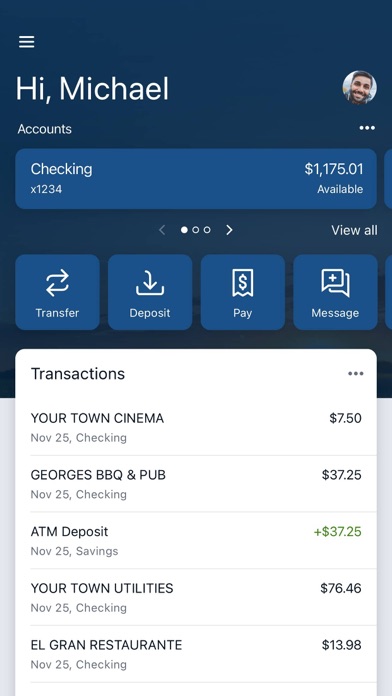
View all accounts and balances, including current and available funds. Check account transactions and view check images. Log in with existing internet banking credentials or enroll directly through the .
Bath State Bank’s app provides flexibility for customers to conduct Bank transactions conveniently and safely. If you currently use our Internet Banking -- simply download the app, launch it and login with your same Internet Banking credentials. If you are a customer and are not currently using online banking, you can directly enroll via the Bath State Bank app.
Available features include:
Accounts
•View all Accounts and Balances (Current and Available)
•View Account Transactions
•View Check Images
•View and Save eStatements
Deposits/Transfers
•Deposit checks in a snap by taking a picture of the front and back
•Account to Account Transfers
•Loan Payments (including principal only, pay down or payoff)
•Scheduled Transfers (immediate, future dated or recurring)
Bill Pay
•Schedule and Edit your Bill Payments
•Add Payee (business or Individual)
•Schedule and manage Bill Payments
•Person-to-Person Payments
Additional Features:
•Secure Messaging
•Stop Payments
•Enable/ Disable Debit card
•eStatement Sign-up
•Manage Alert Notifications
•Manage External & Unlinked Accounts
•Personal Finance Software
For more information, contact us at (765-732-3022) or go to www.BathStateBank.com to enroll.
Bath State Bank, Member FDIC.
*Standard mobile web fees may apply. Please contact your mobile carrier for more information.