
iPhone Screenshots


Description
▼How to play
◎Main screen
Cards in deck: Tap to draw the next card
Bar in the upper center: Tap to change play mode
Winding arrow in the upper left corner : Tap to start the game over (shuffle)
Gear in the upper right corner: Tap to go to the following setting screen
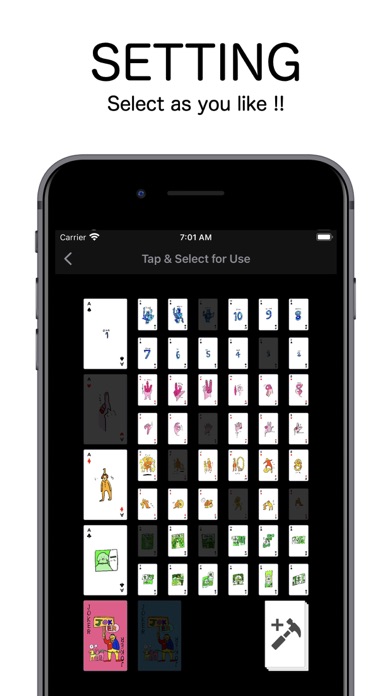
◎Settings screen
Each playing card: Tap to set whether the card is used for the game or not (the card is displayed thinly when not used)
Hammer card in the lower right corner: Tap the hammer card to go to the original card setting screen.
◎Original card setting screen
+ button in the upper right corner: Tap to move to the original card creation screen below.
When an original card is created, a list of the cards will be displayed on this screen.
*As above settings screen, you can tap a card to set whether or not it will be used in the game.
◎Create Original Card Screen
Select an image from the camera or album to be used for the card.
You can also add text in the text field below.
*The text will be displayed with the card image in the game on the main screen.
v button in the upper right corner: Finish creating your original card.
x button in the upper left corner: Cancel