
iPhone Screenshots
Description
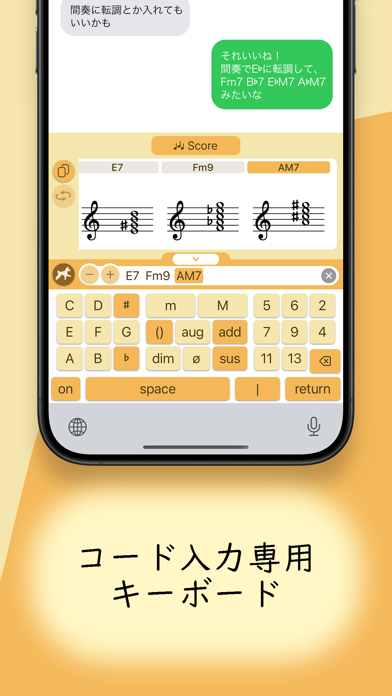
Entering chords has never been easier.
A new kind of iOS keyboard app built for musicians.
Input chord progressions directly into your favorite apps—fast and accurately.
● What’s New
・Piano View added!
Chord tones are now shown on a piano keyboard (free).
With Premium, each note includes an interval label, helping you visually understand the chord structure.
● Features
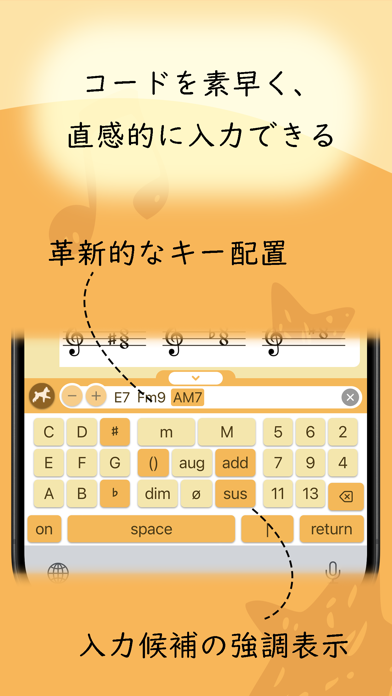
・Innovative Key Layout
All chord keys are always visible—no flicks, no long presses.
Input any chord instantly with a single tap.
・Smart Key Suggestions
Compatible next keys are highlighted in real time.
Tensions and altered chords are easy to build.
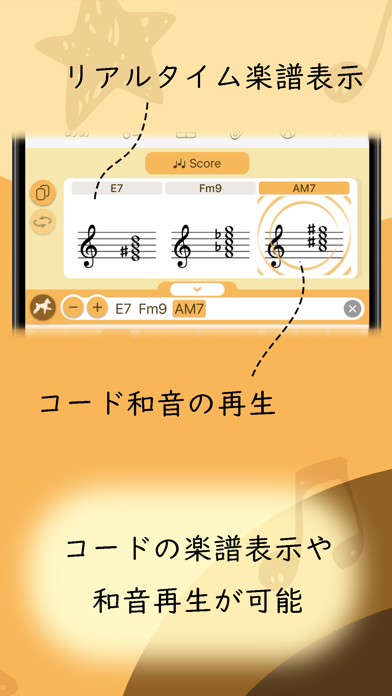
・Real-Time Display
Chord tones are displayed live on either a piano keyboard or notation view.
Easily copy as an image or drag and drop into other apps.
● Even More with Premium
・Piano Interval Labels
Display interval labels directly on the piano keyboard to better visualize chord structure.
・Transpose
Shift your entire chord progression up or down with a single tap.
・Chord Playback
Tap a chord to hear how it sounds. Perfect for checking voicings and tensions.
・History & Favorites
Access your previously entered progressions.
Pin your favorites for quick recall.
・Remove Logo from Chord Images
Export chord images without the “Pumi Chord Keyboard” logo.
・Slide Input
Input chords smoothly by sliding your finger across the keyboard.
Experience a smarter way to enter chords—start now.