
iPhone Screenshots




Description
Ideal for audio professionals. Instantly reveals details about installed audio plug-ins. Links to publisher web sites and offers easy Finder access for maintenance.
Apple's introduction of Apple Silicon delivers compelling performance in an incredibly efficient package for Mac users. It has also led to some confusion regarding which audio plug-ins are taking full advantage of the new hardware. While Apple's Rosetta allows most Intel code to run, it isn't as efficient as native code and can introduce compatibility issues. Some vendors try to confuse matters by describing Intel plug-ins as "M1 Compatible."
Plug-ins that include Apple Silicon code are sometimes called "M1 Native." They're actually well prepared for M2, M3, M4 and any future Apple Silicon revisions Apple may have planned, plus the inevitable future where Rosetta is no longer supported. It can be time-consuming to track down and evaluate every individual plug-in you have installed but, with PlugInfo, just run the app and you'll quickly see a list of installed audio plug-ins and their details:
∙ See the CPU architectures directly supported by each plug-in, so you'll know which are optimized for Apple Silicon, and which are translated by Rosetta. Also invaluable for finding legacy plug-ins with just PowerPC or 32-bit Intel code.
∙ Click any column header to sort the list, and click it again to sort in reverse order.
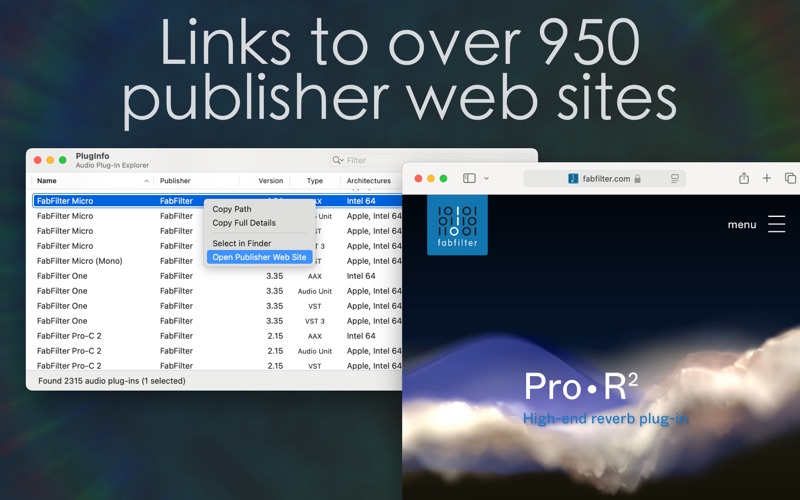
∙ See publisher names for hundreds of known publishers, and use File > Open Publisher Web Site (⇧⌘O) or double-click their name to open their web site.
∙ Remembers your preferred window size and layout, letting you focus on what matters most. Hide or show columns using the View menu, and rearrange them just by dragging or resizing column headers.
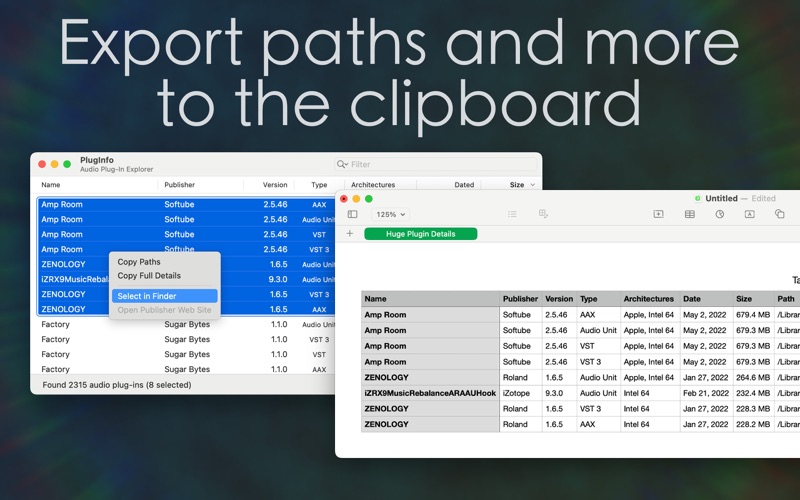
∙ File > Select in Finder (⇧⌘F) opens Finder windows with selected plug-ins already highlighted for easy backup or deletion.
∙ Edit > Copy Paths (⌘C) to quickly copy a list of paths for selected plug-ins to the clipboard.
∙ Edit > Copy Full Details (⇧⌘C) copies all information for selected plug-ins in a form that can be pasted into Numbers or Excel for further examination.
∙ Keep PlugInfo open and it will automatically refresh to reflect additions, removals, or changes in your collection.
∙ Edit > Edit Filter (⌘F) selects the filter field. Enter text to quickly narrow down your collection to plug-ins with matching names, publishers, architectures, or plug-in types. Remove filter text or use the shortcut (⌘⌥F) clear it again and restore the full list of plug-ins.
Enjoy!