BLE Scanner: Device Finder
Scan and connect to nearby Bluetooth devices
SUNSHINE SOFTWARE LABS YAZILIM LIMITED SIRKETI
iPhone Screenshots

Description
Scan nearby Bluetooth Low Energy devices to locate and connect to Bluetooth-enabled items like AirPods, smartwatches, and speakers. View names and signal strength. Pair and manage connections directly from the .
Discover Bluetooth Device Scanner – the ultimate solution for locating all of your Bluetooth-enabled devices using Bluetooth Low Energy (BLE), also known as Bluetooth Smart or Bluetooth Light. Effortlessly browse and connect to nearby devices such as AirPods, Fitbits, Apple Watches, smartphones, Bluetooth speakers, and more!
FEATURES
-Scan nearby Bluetooth Low Energy devices: Quickly detect all BLE devices in your vicinity, whether it’s your AirPods, smartwatches, or fitness trackers.
-Step-by-step guidance: Our intuitive process guides you to locate your lost device with ease.
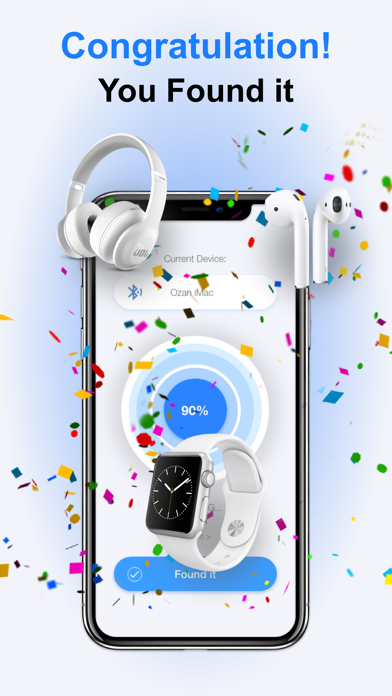
-Hints, signal strength, and estimated distance: Get real-time hints, track signal strength, and see the estimated distance between you and your lost device for fast recovery.
-Sleek, modern interface: Enjoy a fresh, user-friendly interface that makes the scanning process smooth and efficient.
COMPATIBLE DEVICES
-Supports all Apple devices: including iPhone, iPad, AirTag, Apple Watch, Apple Pencil, MacBook, and more.
-Works with portable Bluetooth speakers, Fitbit trackers, fitness wearables, Bluetooth headphones, wireless earphones, headsets, and a wide range of BLE-enabled gadgets.
HOW TO USE
-Launch the app.
-Scan and select your lost device from the list of nearby devices.
-Move slowly and monitor the radar screen, focusing on the estimated distance data.
-Once you’re within 1-5 meters, your device is nearby – start looking around to find it!
-With Bluetooth Device Scanner, you'll never lose track of your favorite Bluetooth accessories.
Auto-Renewable Subscription Terms:
- The payment will be charged to your Apple ID Account at confirmation of purchase.
- The subscription renews automatically unless the auto-renew is turned off at least 24 hours before the end of the current billing period.
- Your account will be charged for renewal within 24 hours before the end of your selected subscription.
- Your subscriptions can be managed, and auto-renewal can be turned off by going to your App Store Account Settings.
Terms: https://sunshine-dev.com/?page_id=98